

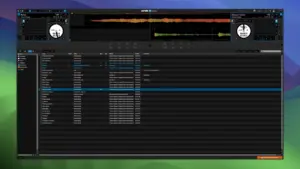
Serato DJ Pro Suite is Serato’s all-in-one Mac and Windows DJ package: the same Serato DJ Pro engine as the standalone app, plus every DJ Pro expansion and Serato Studio for edits and production.
What Suite adds on top of Pro
Serato DJ Pro is the core mixer: two or four decks, library management, effects, stem separation, and support for a large range of controllers and club mixers. A Suite license unlocks Serato DVS for vinyl and CDJ-style control, Pitch ’n Time DJ for high-quality tempo and key work, Serato Video, Flip, advanced FX, Play for laptop-only performance, and Serato Studio in one account. After you sign in, expansions appear under Settings without separate installers for each pack.
How DJs use it on Mac
Most Mac users run Serato with a supported controller or mixer, prep crates and beatgrids in the library, then perform with stems, loops, and FX as needed. Suite fits DJs who want DVS or video in the same bill, or who move between club hardware and hotel-room laptop sets via Play. Streaming libraries (Beatport, TIDAL, SoundCloud, Spotify with Premium, Apple Music where available) sit beside local files; hardware that ships with a Pro unlock can still run the app without a subscription, while Suite remains a paid upgrade for the full expansion set and Studio.
Version 4.0.5 in context
Build 4.0.5 ships in the same Serato DJ Pro 4.x line as the current downloads page (newer builds such as 4.0.7 may supersede it on the site). For Suite users it is still one installer and one login. The vendor’s public notes for 4.0.5 focus on Beatsource-to-Beatport migration so cue points, loops, and beatgrids survive when you move streaming libraries—not a full redesign release. Licensing is subscription ($14.99/month for Suite on Serato’s pricing page) or a one-time buy option listed alongside Pro; check Serato’s site for your region and current perpetual price.




Ive tried all your steps but nothing works.
seems like the library issue is still there.
Ive installed the Serato package first and immediately the patch.
But still I get library issues.
Anyone knows the solution
sudo chown -R shai:staff “/Users/yourMAC(home)name/Library/Application Support/Serato”
A solution for those experiencing library issues.
1-Run this in the terminal to delete old Serato DJ Pro files.
rm -rf ~/Music/_Serato_/database.v2-journal
rm -rf ~/Music/_Serato_/*.lock
2-Create the library structure that Serato DJ Pro cannot create via the terminal and grant the necessary permissions.
yourMAC(home)name – enter your computer name and home folder name here.
sudo mkdir -p “/Users/yourMAC(home)name/Library/Application Support/Serato/Library”
sudo chown -R shai:staff “/Users/shai/Library/Application Support/Serato”
sudo chmod -R 755 “/Users/yourMAC(home)name/Library/Application Support/Serato”
Thank you so much for your help! 😊
You’re welcome.
And you sure EVERYONE should just blindly use “shai” username? Ever heard of “~” to indicate users home directory?
This should look like:
1. Open terminal
2. If you don’t know your shortname, it’s whatever appears before @ in the prompt, for example in “user@computer – %” prompt, the shortname is “user”
sudo mkdir -p “~/Library/Application Support/Serato/Library”
sudo chown -R shortname:staff “~/Library/Application Support/Serato”
sudo chmod -R 755 “~/Library/Application Support/Serato”
“~” is a shortcut that points to the home directory of the current logged user, no gymnastics necessary.
thanks, this fixed library issues for me
how do I know if it was installed successfully? and patched
Does not work “could not open serato library” error
Same problem here. I’ve made all the steps shown in order to run the app, but it’s not creating library.
You need to install the original Serato, open it, and then install the one from this page on top of it. To activate it, log in with your Serato account and you’re done.
Installation instructions:
1. Run and complete the standard installation: Serato DJ Pro 4.0.5.pkg
2. Run and complete the standard installation: Serato DJ Pro Suite 4.0.5 patch
After installation is complete, you can launch the application from Launchpad.
Compatibility
macOS 12 and later
Architecture
ARM, x86 (64-bit)