Screens 5.8.10 for Mac

Screens
Name:Screens 5.8.10 [EDiSO].dmg.torrent (39.81MB)
Hash:67d2bb8019805c59b1e928f211c3a4a98ac876b4
Review by:
Downloads 133
Rating
4.7 10 Click to rate
Checked
   Download Torrent Download Now

Screens 5

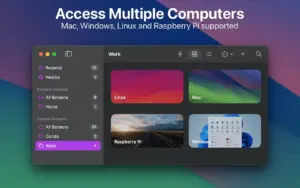
A VNC remote-desktop client from Edovia Inc. that lets you control Mac, Windows, Linux, and Raspberry Pi computers from a Mac, iPad, iPhone, or Vision Pro with encryption, file transfer, and multi-display support.

Typical Mac workflow

You install Screens 5 from the Mac App Store and set up Screens Connect on the machines you want to reach over the internet, or add manual connections on your local network. Saved machines sync through iCloud, and Tailscale integration simplifies access to Linux and Raspberry Pi hosts without opening ports manually. From your Mac you open a connection window, choose observe or control mode, pick a display on multi-monitor setups, and work with touch or trackpad gestures, hardware keyboards, clipboard sync, and drag-and-drop file transfers.

Curtain Mode blacks out the remote Mac screen for private sessions; SSH tunneling and custom SSH keys add another authentication layer on untrusted networks. Screens Assist helps you support friends or family by running a small helper on their Mac. For Windows PCs you need a third-party VNC server such as UltraVNC or TightVNC; clipboard sharing on Windows and Linux is limited to text and URLs, and the RFB protocol means no remote audio. Screens Connect runs on macOS 10.13+ or Windows 10+ on the host side while the client app requires macOS 14.0 Sonoma or later on Mac.

Licensing and version 5.8.10

Screens 5 is App Store only: about $29.99 per year, $3.99 per month, or $179.99 lifetime, with a free trial and one subscription covering iPhone, iPad, Mac, and Vision Pro. Version 5.8.10, released 3 July 2026, improves hardware keyboard detection, speeds up reconnection after interrupted sessions, keeps the iPad toolbar anchored when the floating keyboard is open, and fixes folder-selection memory in Tailscale and Screens Connect plus symbolic-link handling during file uploads. The vendor support changelog has not yet been updated beyond the broader 5.8 entries from early 2026.
Screens 5.8.10 improves keyboard handling, reconnection reliability Screens 5.8.10 — VNC Remote Desktop for Mac

Pros & Cons Show details

✅ PROS

  • One subscription unlocks Mac, iPad, iPhone, and Vision Pro clients for controlling heterogeneous machines from a single library.
  • Screens Connect plus Tailscale support makes remote Mac and headless setups reachable without manual port forwarding.
  • Curtain Mode, SSH tunneling, and Touch ID or Face ID protection suit privacy-conscious remote work on shared Macs.
  • Multi-display selection, file drag-and-drop, and clipboard sync cover most day-to-day remote-desktop tasks better than bare VNC viewers.
  • Version 5.8.10 targets reconnection reliability and keyboard handling, which directly affects everyday session stability.

❌ CONS

  • Requires a paid subscription or $179.99 lifetime purchase after the trial; there is no standalone Mac-only license outside the App Store.
  • No remote audio because of VNC protocol limits, which hurts media monitoring or call testing workflows.
  • Windows and Linux hosts need separate VNC server software and offer reduced clipboard functionality compared with Mac targets.
  • The Mac client requires macOS 14.0 or later, excluding older Macs still on Ventura.
  • Edovia’s web release-notes page has not published a dedicated 5.8.10 entry yet, so detailed fixes are only in App Store metadata.
✅ What's New in 5.8.10 Show details
  1. Hardware keyboard handling — Improved hardware keyboard detection and management across supported client devices in version 5.8.10.
  2. Faster reconnection — Better detection of interrupted connections enables faster, more reliable reconnections after drops.
  3. iPad floating keyboard — The interactive toolbar now stays at the bottom of the screen when the floating keyboard is open on iPad.
  4. Tailscale folder memory — Fixed an issue where the selected folder in Tailscale and Screens Connect sections was not remembered.
  5. Symbolic link uploads — Fixed a bug that could break symbolic links when uploading files to a remote Mac.
  6. Stability pass — General stability and performance improvements ship in the 5.8.10 build per Mac App Store release notes.

Older Versions

Version Publication date
Screens v5.8.10 Latest Current
Screens v5.8.6
Screens v5.8.4
Screens v4.12.15
Screens v4.12.14
Screens v4.12.11
Screens v4.8.6
Screens v4.8.5
Screens v4.8.4
Screens v4.8.3
Screens v4.8.2
Screens v4.7
Screens v4.6.11
Screens v4.6.8
Screens v3.8

Installation & Troubleshooting FAQ

8 questions

Common issues when installing macOS apps

Alternatives

Join the Conversation

Your email address will not be published. Required fields are marked *