Live show control from a single Mac
QLab is macOS software for designing and running live shows: sound, video, projections, lighting, and show-control cues from one workspace built around ordered cue lists.
How a show is built
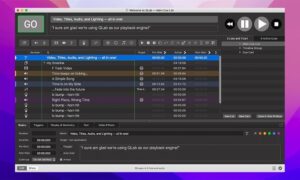
You organize cues in lists and groups—Audio, Video, Light, Fade, Network, MIDI, and more—and trigger them manually or on timecode. Each cue can target outputs, patches, or external gear, so a theatre, dance, concert, or installation can stay in sync without juggling separate apps.
Audio, video, and lighting on one timeline
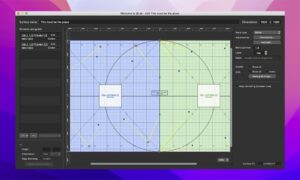
On Mac, QLab handles multi-channel audio routing, video stages with masking and warping, and DMX lighting with instrument libraries. Paid Audio, Video, and Lighting licenses unlock professional limits—more channels, effects, NDI/Syphon, unlimited DMX addresses, and advanced fade tools. Catalog “Pro” usually means the full licensed stack for complete show design.
- Theatre and dance: timed sound, projections, and light in one operator workflow.
- Corporate and touring events: reliable playback with OSC/MIDI integration.
- Installations: scripted cue chains with network device control.
Collaboration and remote control
QLab 5 supports networked collaboration on one workspace and remote operation, so designers and operators can split roles during tech and performance. OSC, AppleScript, and MIDI remain central for tying QLab into consoles, media servers, and custom rigs.
QLab 5.6 on your Mac
Version 5.6 requires macOS 11 (Big Sur) or later on Intel and Apple Silicon. The app is free to download; Pro-level features need purchased or rental Audio, Video, and/or Lighting licenses, with demo mode for evaluation before buying.