
Picmal 1.6.7 for Mac

Picmal
Name:Picmal 1.6.7 [EDiSO].dmg.torrent (91.16MB)
Hash:36177ae2e988597a0e8f22d4305f5887eb8fdd48
Review by:
Downloads 309
Rating
4.3 23 Click to rate
Checked
   Download Torrent Download Now

What Picmal does on Mac

Picmal is a native macOS utility for batch converting and compressing images, video, and audio files locally, without uploads, accounts, or subscriptions.

Built in Swift for Apple Silicon and Intel Macs, Picmal handles more than 100 formats: HEIC, PNG, WebP, AVIF, PSD, RAW, PDF, MP4, MOV, MKV, MP3, FLAC, and many others. You drop files or folders, pick an output format or compression preset, and process up to 10,000 files in one queue with pause, resume, priority controls, and before/after previews.

Typical Mac workflow

Most users start in Convert mode, drag a folder of HEIC photos or MOV clips, choose JPG or MP4, and export files beside the originals. For size reduction alone, Compress mode applies balanced or web-optimized presets without changing format. Power users set watched folders, run picmal-cli from Terminal, or trigger jobs from Finder Services, Shortcuts, and the menu bar.

Version 1.6.7

Released June 8, 2026, version 1.6.7 is a stability-focused update titled “A steadier file list and a clearer video speed control.” Official notes fix a crash that could occur mid-batch when the file list reshuffled itself, keep rows in place while processing, and refine video playback speed controls for clearer batch video workflows.

Licensing and requirements

Picmal requires macOS 15.6 (Sequoia) or later. It is a one-time purchase from $15.99 for a lifetime license with updates, plus a 14-day money-back guarantee. All processing stays offline on your Mac; no internet is required after installation.
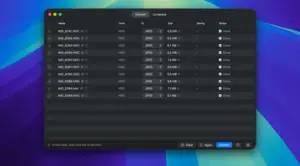

Picmal 1.6.7 for Mac — Convert & Compress Media

Pros & Cons Show details

✅ PROS

  • Picmal processes images, video, and audio in one native Mac app instead of separate online converters for each media type.
  • All conversion and compression runs locally with no cloud uploads, which suits private photos, client assets, and offline travel workflows.
  • Batch queues support thousands of files with pause, resume, per-file priority, watched folders, and picmal-cli for automation.
  • The one-time license model avoids subscriptions, and pricing starts at $15.99 with lifetime updates included.
  • Version 1.6.7 makes long batch runs more predictable by stopping list reshuffle crashes and keeping file rows stable until each job finishes.

❌ CONS

  • Picmal is macOS-only; there is no Windows, Linux, or web client for mixed-platform teams.
  • macOS 15.6 Sequoia is the minimum for current builds, which excludes Macs on older supported macOS versions.
  • Version 1.6.7 adds no major new formats or features; it focuses on queue stability and video speed UI polish.
  • Advanced video and audio encoding options exist, but beginners may still need to learn codecs, CRF, and frame-rate tradeoffs.
  • License activation is required in recent versions, so the app is not fully unlimited without purchase after the trial period.
✅ What's New in 1.6.7 Show details
  1. [Maintenance release scope] — Version 1.6.7 (June 8, 2026) focuses on batch-queue stability and clearer video speed controls rather than new format support.
  2. [Batch list crash fix] — Fixed a crash that could occur mid-run when the file list was reshuffling during active processing.
  3. [Stable row positioning] — Rows now stay in place while files process and move only after a job completes, reducing visual jumps in large batches.
  4. [Clearer video speed control] — Video playback speed settings were refined for easier reading and adjustment in batch video workflows.
  5. [Current Picmal build] — 1.6.7 is the latest release listed on the official Picmal changelog with a direct DMG download link.

Installation & Troubleshooting FAQ

8 questions

Common issues when installing macOS apps

Alternatives

Join the Conversation

Your email address will not be published. Required fields are marked *