
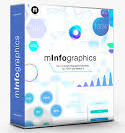
60 Universal Infographic Elements for FCP
mInfographics give you a set of 60 beautifully designed, diverse, and superbly stylized elements you can mix together, sort, and rearrange in an infinite number of ways. This plugin will change the way you work with data, making it much simpler, efficient, and fun!
4,000+ top-quality motion design elements & AI‑powered captions tools for Final Cut Pro, just a drag‑and‑drop away from your timeline.
Homepage https://www.motionvfx.com/store,minfographics,p1935.html



There are no Transitionsm there are .moti files so you have to copy the folder to Movies/Motion Templates/Titles
no, no
Copy folder named “mInfographics” inside Movies/Motion Templates/Titles
How to install:
1) Unpack RAR file and the ZIP file inside
2) Copy folder named “mInfographics” inside Movies/Motion Templates/Transitions folder
3) Run FCP and use the transitions … everything is working just fine