

Lingon Pro v10.2.2 for Mac
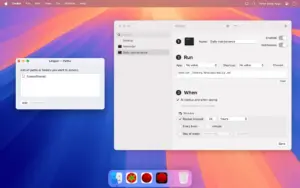
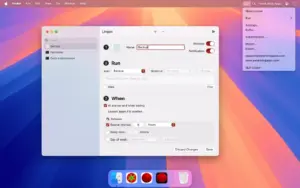
Lingon Pro 10 (formerly Lingon X) by Peter Borg Apps is a professional launchd editor for macOS: schedule apps, scripts, Shortcuts, and shell commands at specific times, on intervals, or at login—without living in Terminal.
Lingon Pro is a standalone app with a one-time license (not on the Mac App Store, due to platform limits on system-level tasks). The free Lingon app in the App Store is a simpler scheduler without root tasks or full plist editing.
What’s new in v10.2.2
Build 10.2.2 is a maintenance release in the 10.2 line. The developer does not publish per-patch release notes; for 10.2 the documented changes are:
- Small bug fixes and stability improvements
- Fix for a possible crash
- Restart a task from the contextual menu (Control-click)
Key features (Lingon Pro 10)
- Full launchd editor with access to all plist keys
- Run tasks as root or for multiple users
- Background monitoring of tasks with notifications on changes
- Tabs and multiple windows; Undo while editing; drag-and-drop onto the app icon to create tasks
- Apple Intelligence to create or edit scripts (where available)
- Improved log, login items, list mode, and smart folders
- Revert to earlier task revisions; save without reloading (hold Option when saving)
Requirements & licensing
- Version: 10.2.2
- macOS: 14 Sonoma or later
- Architecture: Apple Silicon and Intel
- License: one-time purchase; free download to try; 14-day refund (per vendor policy)
Official: peterborgapps.com/lingon





Run the downloaded image and drag the app to the Applications folder shortcut.
After copying is complete, you can launch the app via Launchpad.
Architecture
ARM, x86 (64-bit)
If you see the error “The application quit unexpectedly,” right-click the app, select Properties from the context menu, and check the box next to “Open with Rosetta.” Then enjoy the app. Enjoy! 🙂