
HextEdit 1.0.7 for Mac

hextedit
Name:HextEdit 1.0.7 [EDiSO](2).dmg.torrent (5.13MB)
Hash:4f9c9e6201872cfd987a861ad6f052aef6f7b234
Review by:
Downloads 205
Rating
4.8 11 Click to rate
Checked
   Download Torrent Download Now

HextEdit

A lightweight native hex editor for macOS that opens almost any file at the byte level—useful when you need to inspect headers, patch data, or verify binary structure without launching a full IDE.

HextEdit by Finn Voorhees is built in Swift and targets developers, reverse engineers, and power users who occasionally need low-level file access. The main view shows hex and ASCII columns with a byte inspector that interprets selection as little- or big-endian signed and unsigned integers, floats, or doubles, displayed in binary, decimal, or hexadecimal. You can insert, delete, copy, paste bytes or strings, zero a selection, jump to an offset, and undo or redo edits. File version history helps recover earlier states when experimenting on disk.

Typical Mac workflow

Open a suspicious download, firmware dump, or custom file format and scroll to a known magic number or string. Use incremental background find to locate byte patterns, integers, or text while the UI stays responsive on large files—the search runs in the background so you can keep working. Reinterpret a suspicious four-byte region as big-endian uint32, patch a flag, and save. For quick checks, HextEdit is often faster than spinning up a heavyweight editor or terminal hex tool, especially on Apple silicon Macs where the universal build runs natively.

The app is sold on the Mac App Store for $12.99 with Family Sharing support. It requires macOS 12.0 or later and is English-only on the listing. Privacy notes indicate usage and diagnostic data may be collected but not linked to your identity. HextEdit is Mac-only and does not replace a debugger or disassembler—it focuses on straightforward hex viewing and editing with a clean, sidebar-driven macOS layout.

Version 1.0.7

Release 1.0.7 (January 24, 2024) is a maintenance update: the App Store What’s New text lists only minor bug fixes, with no published feature changelog. Core capabilities—byte inspector, incremental find, undo/redo, offset navigation, and version history—are unchanged from earlier 1.0.x builds; install 1.0.7 for stability fixes rather than new editing features.
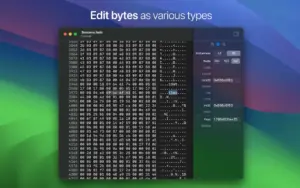
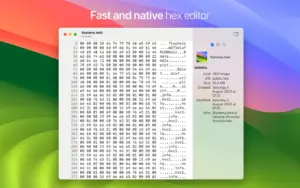
HextEdit 1.0.7 is a native Mac hex editor HextEdit 1.0.7 for Mac — Native Hex Editor

Pros & Cons Show details

✅ PROS

  • Native Swift app with universal Intel and Apple silicon support keeps hex editing responsive on modern Macs.
  • Byte inspector covers endian variants, integer widths, floats, and multiple radices in one sidebar workflow.
  • Incremental background search lets you find patterns in large files without blocking the UI.
  • Standard edit operations—insert, delete, paste, zero, jump to offset, undo/redo—cover routine binary tweaks.
  • Compact install (under 3 MB) and macOS-native UI fit quick inspection tasks between heavier tools.
  • File version history adds a safety net when experimenting with on-disk byte changes.

❌ CONS

  • Version 1.0.7’s public notes mention only minor bug fixes—no detailed changelog for this build.
  • Mac App Store purchase at $12.99 while some terminal and open-source hex tools are free.
  • English-only interface per the App Store listing may limit non-English workflows.
  • Requires macOS 12 Monterey or later, excluding older Macs on earlier systems.
  • No scripting, structure templates, or disassembly—limited compared with professional reverse-engineering suites.
  • Sparse App Store ratings make it harder to judge long-term reliability from community feedback.
✅ What's New in 1.0.7 Show details
  1. [Minor bug fixes] — The developer’s stated focus for 1.0.7 is general stability fixes; no individual fixes are listed publicly.
  2. [January 2024 release] — Version 1.0.7 shipped on the Mac App Store on January 24, 2024.
  3. [Maintenance scope] — No new inspector types, search modes, or UI features are advertised for this version.
  4. [Core hex editing unchanged] — Insert, delete, copy, paste, undo/redo, offset jump, and zero-bytes behavior remain as in prior 1.0.x builds.
  5. [Platform requirements unchanged] — macOS 12.0 or later and universal Intel/Apple silicon support continue per the listing.
  6. [Licensing unchanged] — One-time Mac App Store purchase ($12.99) with Family Sharing; no subscription model listed.

Installation & Troubleshooting FAQ

8 questions

Common issues when installing macOS apps

Alternatives

Join the Conversation

Your email address will not be published. Required fields are marked *