

Fork v2.67.0 for Mac
Fork is a fast, friendly Git client for macOS (and Windows) with visual diffs, interactive rebase, merge-conflict resolution, GitHub notifications, Git LFS, Git-flow, and submodule support.
Version 2.67.0 adds keyboard shortcuts, a commit-details popup, restored tabs, bisect UX polish, and merge-editor fixes.
What’s new in v2.67.0
New:
- Shift+⌘+G — keyboard shortcut to create a tag
- Spacebar — commit details popup
- ⌘+↑/↓ — navigate to previous/next hunk in a diff
- Shift+⌘+T — restore closed tabs
- Tab / Shift-Tab — switch between commit list and commit details
Improved:
- Remember collapsed commits between restarts
- Git bisect UI — button order, skip labels, automatic HEAD selection
- Snapping for split view in the staging window
Fixed:
- Left selection button not clickable in the merge conflict editor
Key features
- Fetch, pull, push, commit, amend, merge, rebase, cherry-pick, revert, stashes
- Side-by-side and advanced diffs; image diffs; inline diff search
- Interactive rebase with quick actions; blame and file history
- Merge-conflict helper; GitHub notifications; pull requests (GitHub, GitLab, Bitbucket, Azure DevOps)
- Git LFS (lock/unlock), submodules, worktrees, GPG, reflog, custom actions
Requirements & licensing
- Version: 2.67.0
- Platform: macOS (also on Windows)
- macOS: 10.11 El Capitan or later (per vendor; newer macOS recommended)
- License: $59.99 USD one-time purchase with free evaluation
Official: fork.dev
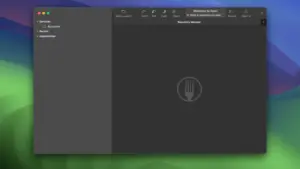
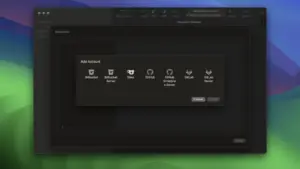




Mount the image and launch Open Gatekeeper Friendly.
Press Enter to bypass Gatekeeper in the Terminal window.
Drag the application to the Applications folder.
The application is ready to use.