
Folder Preview Pro 2.11.1 for Mac

Folder Preview Pro
Name:Folder Preview Pro 2.11.1 [EDiSO].dmg.torrent (8.93MB)
Hash:858acbcba9260feed4cd40a9943b5e3f04e03ea0
Review by:
Downloads 293
Rating
4.2 15 Click to rate
Checked
   Download Torrent Download Now

What Folder Preview Pro does on Mac

Folder Preview Pro is a Quick Look extension for macOS that lets you inspect folder contents and archive files from Finder with thumbnails, sorting, and file actions inside the preview window.

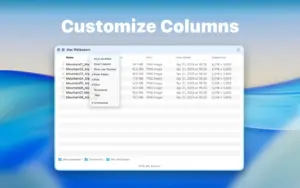
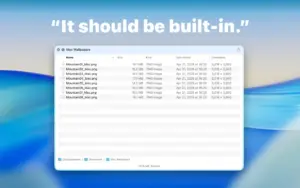
Developed by Anybox LTD, Folder Preview Pro goes beyond Apple’s built-in folder Quick Look, which shows only basic metadata. After enabling the extension in System Settings, you press Space or ⌘Y on a folder to see a list or icon view with customizable columns, thumbnails for Finder-supported file types, and navigation into subfolders. Archive formats such as ZIP, RAR, 7z, TAR, GZ, and BZ2 can be browsed without extracting them first.

Typical Mac workflow

Power users select a download folder or project directory in Finder, hit Space, and scan filenames, sizes, and dates before opening anything. You can copy or open files, preview nested items with the Preview action added in 2.11, and jump into subfolders without leaving Quick Look. The extension also works in third-party file managers such as ForkLift, Path Finder, and Commander One when they support Quick Look.

Version 2.11.1

Released June 21, 2026, build 2.11.1 is a small maintenance update. The official changelog lists one fix: license keys are no longer invalidated in some edge cases. Version 2.11 from June 5 added a Preview action for files inside the Quick Look window; 2.11.1 does not introduce new preview features beyond that licensing correction.

Licensing and requirements

Folder Preview Pro requires macOS 12.0 or later and costs $9.99 as a one-time purchase from the developer website, not the Mac App Store. The license covers up to five Macs with lifetime updates. Because the Pro build is unsandboxed, it can offer thumbnails, navigation, and file operations that Apple restricts in App Store Quick Look extensions. A separate Folder Preview app on the Mac App Store offers a lighter feature set for $2.99.
Folder Preview Pro 2.11.1 extends macOS Folder Preview Pro 2.11.1 for Mac — Quick Look Folders

Pros & Cons Show details

✅ PROS

  • Folder Preview Pro fills a gap in macOS by turning Quick Look into a mini Finder for folders and archives instead of showing only icon and size.
  • Thumbnails, open, copy, and in-window Preview actions let you triage downloads without opening separate apps for every file.
  • Archive browsing for ZIP, RAR, 7z, TAR, GZ, and related formats saves time when you only need to check contents before extracting.
  • The one-time $9.99 license includes lifetime updates for up to five Macs with no subscription.
  • Version 2.11.1 fixes license invalidation edge cases, which should reduce unexpected deactivation for paying customers.

❌ CONS

  • Folder Preview Pro is sold only from the developer website; it is not distributed on the Mac App Store like the lighter Folder Preview app.
  • You must manually enable Quick Look extensions in System Settings before the preview works, which adds setup steps for new users.
  • Version 2.11.1 documents only a licensing fix, so users expecting new preview features will not find them in this build.
  • Archive preview can consume local storage over time, which the developer acknowledges in FAQ documentation.
  • Path bar navigation inside Quick Look may require Full Disk Access, adding another permission step for advanced browsing.
✅ What's New in 2.11.1 Show details
  1. [License key invalidation fix] — License keys are no longer invalidated in some edge cases, preventing unexpected loss of activation after purchase.
  2. [Changelog scope] — Version 2.11.1 documents only this licensing fix; no new folder or archive preview features were announced for this build.
  3. [June 2026 patch release] — Build 2.11.1 shipped June 21, 2026 as a follow-up to version 2.11 from June 5, 2026.
  4. [Preview action (2.11 line)] — Users still on 2.10.x also gain the Preview action from 2.11, which previews files inside the Quick Look window without leaving it.
  5. [Free update for owners] — Existing Folder Preview Pro purchasers receive 2.11.1 at no extra cost under the developer’s lifetime update policy.
  6. [macOS 12+ unchanged] — System requirements remain macOS 12.0 or later according to the developer website.

Older Versions

Version Publication date
Folder Preview Pro v2.11.1 Latest Current
Folder Preview Pro v2.9.1

Installation & Troubleshooting FAQ

8 questions

Common issues when installing macOS apps

Alternatives

Join the Conversation

Your email address will not be published. Required fields are marked *