

Expenses: Spending Tracker is a Mac App Store finance app by Blue Comet Labs for logging income and spending manually—without linking bank accounts or creating a vendor account.
What it does on Mac
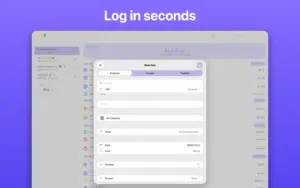
You work in sheets (personal, travel, or shared household lists), add expenses and income in any supported currency, assign categories and merchants, and review Stats and Trends over time. iCloud keeps sheets in sync across iPhone, iPad, Mac, and Apple Vision Pro; you can invite others to collaborate on a shared sheet. Receipt capture uses on-device scanning and autofill to reduce typing. Data stays on your device or in your iCloud; the developer states the app collects no personal data and requires no sign-up.
Typical workflow
Most Mac users open a sheet, enter transactions as they happen (or batch them weekly), then use filters and charts to see category or merchant breakdowns. CSV import and export help migration from spreadsheets or other trackers. Widgets, Shortcuts, Dark Mode, VoiceOver, and keyboard shortcuts support quick entry on desktop. The base app is free; Expenses Pro unlocks advanced capabilities via in-app purchase (lifetime, monthly, or yearly options on the App Store—often around $39.99 lifetime or $1.99/month depending on region). Setapp also distributes Expenses as an alternative to direct purchase.
Version 4.0.8
Build 4.0.8 sits in the recent 4.0.x series on the Mac App Store. Apple’s public “What’s New” text for 4.0.8 itself is no longer isolated now that 4.0.9 is live; the last detailed notes published for the line immediately before that bump were attached to version 4.0.7. Those documented 4.0.7 changes—richer filters, upcoming and recurring item views, receipt-scan category suggestions, currency autofill, and merchant visibility options—are part of the 4.0.8 codebase. Global search arrived in 4.0.9, not 4.0.8. Requires macOS 13.0 or later.





Run the downloaded image and drag the app to the Applications folder shortcut.
Once the copy is complete, you can launch the app from Launchpad.
Compatibility
macOS 13 and later
Architecture
ARM, x86 (64-bit)