

Adobe Photoshop en escritorio
Desde la edición de fotos y composición hasta la pintura digital, animación y diseño gráfico: Photoshop es donde las ideas se convierten en trabajo terminado. Crea en escritorio e iPad, acelera las ediciones con herramientas asistidas por IA donde estén disponibles, aprende nuevas técnicas y comparte con tu comunidad. Con cada lanzamiento, los flujos de trabajo potentes siguen al alcance.
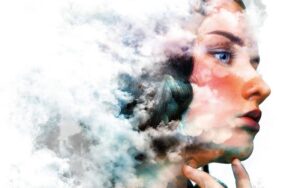
Retoca, reemplaza, compone y ve más allá
Haz que los retratos destaquen y las expresiones se lean claramente. Cambia cielos sin una maratón de enmascaramiento. Elimina distracciones, refina detalles y remodela el color con herramientas de edición estándar de la industria más funciones inteligentes que te ayudan a lograr resultados pulidos más rápido, ya sea que busques correcciones sutiles o efectos creativos audaces.
Diseño gráfico, de principio a fin
Carteles, empaques, banners, sitios web: muchos proyectos visuales aún comienzan en Photoshop. Combina fotografía, gráficos y tipografía en diseños unificados. Aísla sujetos con selecciones de precisión. Experimenta con color y efectos hasta que el concepto coincida con el brief.

Pintura y pinceles
Pinta con una biblioteca profunda de pinceles especializados, o crea los tuyos propios, para que el trazo correcto nunca esté a más de un preajuste de distancia.

Exploración creativa
Combina imágenes, gráficos, efectos y filtros modernos para llevar las fotos más allá de lo que capturó la cámara. Las selecciones inteligentes, el enmascaramiento robusto y las pilas de capas profundas te ayudan a iterar rápidamente mientras mantienes el control de la edición.
Aprende qué hay de nuevo
La disponibilidad de funciones puede variar según el plan, región y canal de actualización. Para la descripción oficial de Photoshop en escritorio, incluidos los aspectos destacados del lanzamiento, consulta la documentación de Adobe.
Detalles técnicos (escritorio)
- Versión: 27.5.0
- Editor: Adobe
- Idiomas de interfaz (ejemplos): English, Russian, German, Hungarian, Hebrew, Spanish, Italian, Simplified Chinese, Korean, Polish, Portuguese, Ukrainian, French, Czech, Japanese
- Compatibilidad: macOS 14 o posterior (consulta los requisitos del sistema de Adobe para GPU y almacenamiento)
- Arquitectura: Apple silicon (ARM) e Intel (x86-64)
Nota: Algunas capacidades impulsadas por la nube, como ciertas funciones generativas, pueden no estar disponibles según tu cuenta, región o configuración del producto. Consulta las páginas de funciones de Adobe y los detalles de tu plan; descripción general: Qué hay de nuevo en Adobe Photoshop en escritorio.
Descarga y licencias: usa los canales oficiales de Adobe (Creative Cloud / Adobe.com) para instaladores, pruebas y suscripciones.



Photoshop 2026 V27.5.0 does not have Raw.plugin. Someone can help me?
New here, looking for a working version of Adobe Photoshop to work on a New 24inch Imac running MacOS Tahoe 26.5.2, Can anyone recommend which is the best version to download which works without any issues.
Thanks.
Am I missing something here? Torrent has no seeds. How are you supposed to download it?
Seeds are available — please try another torrent program ❤️
Monster Group is definitely the easiest and most convenient way to install.
The Neural Filters are Greyed out 🙁
Thank you for the upload and hard work you put into this.
Peace
Hello, it’s my first time on Mac torrent, is there any tutorial on how to install adobe app on MacBook?
Thank you in advance !
After installing and crack, it working well inside but its often crashed and quitting automatically. Any solution for this?
I’m having this issue as well
Hello, and thank you in advance for your help.
I cleaned the old Adobe files.
Install creative cloud, start the installation and then open the patch which is in green (the one without the link to creative cloud)
When I launch the application, I have an error message, the application to stop working. There is no manual in the installed version.
Please french language please ! But it’s work. Thx
You did this with the Terminal command?
Thank you soooo much. Worked perfectly. I can’t tell you how much I appreciate it.
This release does work for Intel, just pick the 2nd option when you press Download. Follow the instructions in the PDF.
The first time I’ve loaded Photoshop 27.5 is that I had to use Force Quit to exit the app. Otherwise it would hang forever. But after loading it like the 4th time or so this issue went away. Not sure what caused it but its gone now.
After reading all the comments (problems) about this version i decided to not even bother and went straight to version 27.3.1 instead.
27.3.1 worked first time on my M4 Studio…many thanks to the uploader for that version.
Essa versão 27.3.1 esta funcionando perfeitamente! obrigado a vc pela dica!
But here’s a tip: Monter Group releases are easier to install. Releases with the Adobe Activation Tool have access to Adobe servers. If you’re installing multiple Adobe programs, we recommend not mixing releases! So, if you have Monter Group’s Ps or LrC installed, install Monter Group’s Ai as well.
When you click the download button, you’ll be able to choose which company’s release to download. Once again, I want to emphasize that it’s best if all products are from the same company — that way there’s a much better chance the installation will go smoothly!
And a message for user Bob (who keeps spamming in the comments): you’re the fake one, ahahaha)
Happy installing!
Hey Sirena. What happens if I’m running a legal version of Lightroom and instal Monter Group Photoshop?
why it requires log in into adope ?
there is no french language inside the package , any option to download it ?
Learn English, translating tools is stupid
Apprends le français et va te faire cuire le fion.
Tu peux copier le dossier “fr_FR” via une precedente version et la copier dans le dossier “locales” de ta derniere version de photoshop.
Gostaria saber se que os download dos aplicativos (softs) realizados neste site são gratuítos ou pagos?
Free
After 1 minute or so, a popup appears to accept terms and conditions.
Upon accepting it, the whole app closes.
Makes this version unusable for more than 1 minute at a time.
spegni wifi quando usi il programma e non ti succede 😉
Use LULU firewall to block connections.
usa LULU… e blocca la connessione verso Adobe e funzionerà
Russian installer. Only for Apple Silicon processors. So I don’t know if it works.
When I first installed it, everything was normal. About a week later, when I started using the program in more detail, it began showing a warning and immediately closing. It doesn’t even give me a chance to save my workspace. I uninstalled it and reinstalled version 27.3.1 — that’s the most stable version so far.
Thanks for the tip; I installed version 27.3.1 and it’s working perfectly. Thanks for the tip!
non intel
Try the Photoshop 2026 v27.5.0 (Adobe Activation Tool) version.
si grazie, ho tentato l’installazione ma poi ho dovuto rinunziare perché la procedura era incomprensibile oltre che modifiche al file sistem importanti e pericolose! Non poche difficoltà pure per ritornare alla 27,4 aspetto che ci sia un eroe che riesca a segnalare una procedura corretta senza mettere mille altre utilitY
I left a comment here about monter group releases but you removed it. They don’t work. I’ve tried heaps of times and every time monter group adobe releases either won’t activate, or expire shortly after install. Plus they are cumbersome to install and lazily done. For your own website’s reputation, should stop sharing them. For the current version of adobe products, other websites have different crackers releasing them that work. I won’t mention which ones as I like your website but lately the adobe releases that have been getting added here are trash.
I agree, they sux
Tried them, in all kind of different ways and they all end up with a login or termination.
Any reason why file downloads are all switched to MediaFire now instead of torrents? Downloads are so much slower this way for those of us who don’t have paid MediaFire accounts…
We’re sorry for the inconvenience. We’ll launch a torrent tracker soon, and the files will be available.
Non c’è Camera raw, ma potete scaricarlo dal sito di Adobe.
Funziona al 100% !!
I Tried to install on Intel (x86-64) 4,2 GHz Quad-Core Intel Core i7 Sonoma 14.8.3 but it stopped half way.
Got a message saying only for Apple silicon while the info is Architecture: Apple silicon (ARM) and Intel (x86-64)
!!! It’s only ARM version !!!
Technical details said and Intel (x86-64) !!!!
But for all to know it doesn’t work on Intel ….
only for arm processor??
Is this clean?
It partly works on M5 pro. The Neural filters is greyed. There is no Camera Raw, so you can work only with jpg-s and psds. I did not find any sign of virus.
The remove tool works fine.
Camera RAW installer on Adobe site is Free.
Since a long time not in PS anymore
Pls added Turkish Languae