

Lightroom Classic para escritorio
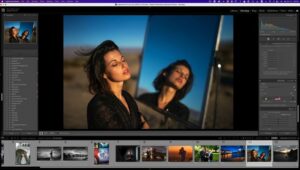
Edita y organiza fotos en la aplicación diseñada para un flujo de trabajo de escritorio. Lightroom Classic combina ajustes rápidos de un clic con controles profundos para que puedas pulir imágenes y mantener grandes bibliotecas bajo control, y luego compartir como necesites.
Cuando el archivo no coincide con el recuerdo de la escena, Classic te da las herramientas para corregirlo: color más rico, vida en tomas planas, eliminación de distracciones y correcciones geométricas, además de un trabajo continuo de rendimiento para que la importación, la generación de vistas previas y el movimiento entre Biblioteca y Revelar se sientan más ágiles.
Capacidades destacadas
Rendimiento: Importación y construcción de vistas previas más rápidas, y transiciones más veloces entre módulos cuando el hardware lo permite.
Ediciones selectivas: El enmascaramiento por rango ayuda a seleccionar regiones por color, luminancia o profundidad para que los ajustes se mantengan donde pretendes.
Panoramas HDR: Fusiona exposiciones entre corchetes en fotogramas HDR y une panoramas en un flujo de trabajo optimizado.
Edición con asistencia de GPU: Utiliza la GPU de tu sistema para acelerar ajustes demandantes.
Organización: Las etiquetas de color para colecciones, conjuntos de colecciones y colecciones inteligentes mantienen los conjuntos visualmente escaneables.
Soporte de cámara: Las actualizaciones regulares añaden perfiles de cámara y lente a medida que se lanzan nuevos equipos.
Más allá del escritorio: El ecosistema Lightroom basado en la nube de Adobe complementa a Classic; el almacenamiento, la búsqueda y las ediciones entre dispositivos dependen de tu plan y elecciones de sincronización.
Detalles técnicos
- Versión: 15.2.1
- Editor: Adobe
- Idiomas de interfaz (ejemplos): English, Russian, German, Spanish, Italian, Traditional Chinese, Simplified Chinese, Korean, Dutch, Portuguese, Thai, French, Swedish, Japanese
- Compatibilidad: macOS 13.1 o posterior
- Arquitectura: Apple silicon (ARM) e Intel (x86-64)
Instalación, pruebas y suscripciones: solo Adobe Creative Cloud oficial.





I followed the instructions in English and worked first time on Mac Studio M1 Max.
The most important part of the process once you unzip the downloaded file is put the folder in your Applications Folder then go from there.
Thank you Sirena & Team for uploading, really appreciate the hard work.
PeaceOut
Hello, im currently stuck at the startup. Every time I open LR it closes straight away when it’s on the splashscreen (reading preferences). I’ve tried holding the option key whilst starting up, but it still just closes straight away with a lightroom report. I am working on a Mac Pro 5,1 with Sequoia 15.7.7. With all the supportive hardware. Am i doing something wrong before i’ve even attempted to activate it? Any help would be much appreciated
Develop module works but the Ai generated remover says “Your Computer is not connected to the internet” any way to fix this?
i can’t install on my macbook pro m1 pro .plz help me how to install it
is there a monter group version of this app?
hello all,
thanks a lot for this release,
installation was succesful via adobe cloud (official) but eventhough i used lulu to block adobe to reach internet,
it says unable to verify your credential and close the program.
is it possible to have a complete installation guide step by step with screen capture because i new to macbook (one week) and
The activation tool app won’t open, says it’s damaged (just like all the previous ones, but unlike them the ‘open anyway’ does not show in the System Settings). I run the FIX which seems to do nothing. What am I doing wrong?
The software is working perfectly fine, thanks. However, due to not having internet connection to Adobe servers (naturally), I have no access to AI removal tools inside. Is there a way to gain access to AI removing tools?
You’re never going to gain access to the AI tools without paying an Adobe subscription.
Finally got it to work on my M4 Studio…the “activation part of the PDF was a bit vague; it hinted at placing the activation tool IN THE APPLICATION section…i think it should’ve been a bit more clearer; anyhow after using the FIX a few times it eventually popped up and asked me to choose the LC with the + sign.
Happy days as the DEVELOP section is working…many thanks to the uploader, it’s very much appreciated 🙂
You’re always welcome — I do my best for you 😉
where is the monter group version of this dmg?
How do i use the activator it keeps saying it is damaged
I ran to this during Installing CCXP v5.2.4.1
The installer’s integrity is compromised: the developer’s authorship has been erased
How can I get pass this?
Hola, tengo un MacBook Pro MS3 y no me deja instalar el programa, me da error, ni aunque vaya a privacidad y le de a instalar igualmente
Donde puedo encontrar el procedimiento para instalar de manera correcta el programa?
I installed it on my MacBook Pro M4, but it is asking me to activate it by logging into my email account. What should I do? None of the patches work, because every time I try to use them, my Mac tells me to move them to the Trash.
go to settings privacy and press on install anyway.
this should help
Version 15.2.1 runs fine on my Intel 2020 Mac running OS 15.7.5
Has anyone tried this yet? Does it work?
I cant install the programe I’m MacBook Pro M4 pro
Insufficient data.
jakie rzeczy wprowadza ta aktualizacja?