
Camo Studio 2.7.2 for Mac

Camo Studio
Name:Camo Studio 2.7.2 [EDiSO].dmg.torrent (96.23MB)
Review by:
Downloads 204
Rating
4.8 17 Click to rate
Checked
   Download Torrent Download Now

Camo Studio is Reincubate’s Mac and Windows app for turning phones, built-in cameras, webcams, and DSLRs into a polished video source for meetings, recordings, and live streams.

What it does on Mac

Camo Studio pairs with Camo Camera on iPhone, iPad, or Android (USB or wireless) and outputs a virtual camera that Zoom, Google Meet, Microsoft Teams, FaceTime, Discord, OBS, and dozens of other apps can use. You adjust framing, lighting, backgrounds, filters, and scenes from a native desktop app, then route the result to any compatible video app. Recent 2.7.x releases added native streaming to Twitch, YouTube, and Kick, Stream Panels for in-app chat, multi-camera scenes, and video file layers alongside live sources.

Typical workflow

Most Mac users mount a phone or plug in a camera, pick a scene or profile in Camo Studio, enable portrait mode or background replacement if needed, and select “Camo” as the camera in their meeting or stream software. Scenes and overlays support lower-thirds, logos, and branding without a separate editor for simple setups. A free tier covers basics; Camo Pro unlocks advanced effects, streaming, and recording options (annual or lifetime licenses on Reincubate’s site—often cited around $49.99/year or $99.99 lifetime). Camo runs on Macs with macOS 12.3 or later and is optimized for Apple Silicon.

Version 2.7.2

Build 2.7.2.22847 for macOS, released May 20, 2026, is a small maintenance update after the larger 2.7.1 streaming rollout. Official notes list improved reliability for long YouTube live streams, a fix for crashes when an active Camo Camera device disconnects while the source dropdown is open, and a sidebar layout fix after switching between video and camera layers. Windows received a separate 2.7.2 build with Flyout and Gallery changes that are not part of this Mac point release.
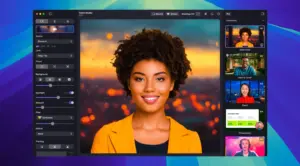

Camo Studio 2.7.2 for Mac — Webcam & Streaming App

Pros & Cons Show details

✅ PROS

  • Camo Studio lets Mac users reuse an iPhone’s superior camera as a webcam without buying a dedicated 4K USB camera or DSLR rig.
  • Native scene editing, overlays, background effects, and profiles cover meetings, content creation, and streaming from one app instead of chaining OBS plugins for basic setups.
  • Version 2.7.x brought native streaming, Stream Panels, multi-cam scenes, and video file layers into the core Mac app (previously some were paid add-ons in 2.7.1).
  • The virtual camera works across a large list of conferencing and recording apps, and Reincubate documents privacy as local processing without capturing your feed on their servers.
  • Version 2.7.2 specifically stabilizes long YouTube live sessions and removes a disconnect crash and sidebar glitch that affected active streaming workflows on Mac.

❌ CONS

  • Camo Studio 2.7.2 on Mac adds almost no new features; it is three documented changes atop the 2.7.1 streaming update, so upgraders on a stable 2.7.1 build may see little visible difference.
  • Advanced streaming, effects, and multi-cam tools sit behind Camo Pro; the free tier is enough for simple webcam use but not the full studio feature set.
  • Best results still depend on mounts, lighting, and a Camo Camera companion app on iOS or Android; it is not a single Mac-only install for phone-as-webcam workflows.
  • Some 2.7 headline features (Flyout tray panel, unified Gallery redesign) shipped in the Windows 2.7.2 build first, not in the macOS 2.7.2 maintenance release.
  • Reincubate distributes outside the Mac App Store for Studio on desktop; licensing and updates run through camo.com rather than Apple’s store-only flow.
✅ What's New in 2.7.2 Show details
  1. [YouTube live streaming reliability] — Long YouTube live sessions are more stable in 2.7.2, which matters for creators who stream directly from Camo Studio on Mac.
  2. [Camo Camera disconnect crash fix] — Studio no longer crashes when an active Camo Camera device disconnects while the source dropdown menu is open.
  3. [Sidebar layout fix] — Switching between a video file layer and a camera layer no longer leaves the sidebar visually squished.
  4. [Maintenance release scope] — Reincubate documents macOS 2.7.2 as one improvement and two fixes; streaming, Kick support, and Stream Panels remain from 2.7.1.
  5. [Build identity] — The Mac release is labeled 2.7.2.22847 (May 20, 2026) on camo.com/support; do not confuse it with the Windows 2.7.2.22736 feature build from May 13.

Installation & Troubleshooting FAQ

8 questions

Common issues when installing macOS apps

Alternatives

1 Comment

  1. Run the downloaded image and drag the application to the Applications folder shortcut.

    Once the copy is complete, you can launch the application from Launchpad.

    The application does not work on macOS Tahoe!!!!!!!!!!!

Join the Conversation

Your email address will not be published. Required fields are marked *