

Capture One Pro v16.7.8.16 for Mac
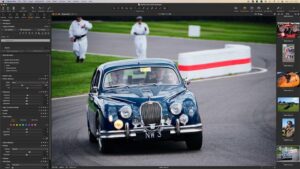
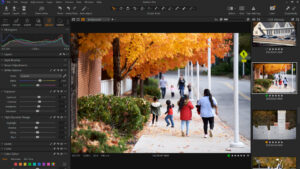
Capture One Pro is a professional RAW converter and tethered capture suite built for photographers and studios who need accurate color, dependable camera support, and a non-destructive workflow from import through export.
Build labels such as 16.7.8.16 typically reflect the 16.7.8 maintenance line plus an installer/build segment; for feature and bug-fix truth, rely on Capture One’s published notes for 16.7.8 and your exact build string in Capture One > About.
Highlights of the Capture One 16.7 generation
Major items introduced in the 16.7.0 line include:
- Combine Masks with Add / Subtract / Intersect logic
- Portrait retouch additions such as eyes and teeth tools
- Blemish removal / even skin extended to the neck area
- Clothes masking inside People Masking
- Contact Sheets for faster review and selection
- HSL readouts for clearer color decisions on set
- PSB (large Photoshop) support in the workflow
- Fujifilm Live View improvements (focus cursor, drive/focus tools, respecting in-camera crops)
- New camera / tether coverage as listed for 16.7.0 (e.g., additional bodies and tether modes—see official notes for your brand)
What changed in Capture One 16.7.8
According to Capture One’s 16.7.8 changelog:
- General: fixed a rare case where export to PSD with “Crop to Path” could produce an incorrect crop.
- macOS: fixed a rare issue where further adjustments to an EIP could behave unexpectedly; fixed a crash in the Export window under specific conditions on macOS 14 Sonoma.
Who it is for
Studios shooting tethered on location, product teams batch-processing RAWs, and retouchers who want precise local adjustments, repeatable grades, and export pipelines that stay tied to the original capture.
Official links
- 16.7.8 notes: captureone.com — changelog 16.7.8
- 16.7.0 notes: captureone.com — changelog 16.7.0
- Product: captureone.com
Catalog/session compatibility can change across major families—always back up before upgrading production libraries.



Please update to 16.8 <3
ok)
How can i install my imac 2017(0s Ventura)??
Please answer me
Hi, no. When you are gonna installs de icon is in grey color
How can i install my imac 2017(0s Ventura)??
does it work Mac OS Tahoe?
Thank you…worked perfectly first time on my M4 Studio.
After the installation was succeded when I open the app….the icon appera pn the dock, it bounces a few times and after that the app closes. Neither the splash screen appear. Just bounce and then it is closing
ME TOOOOO !!!
I just tu know WHY !!!
is there someone else who help us ??
PLEASE !!!!
Mount the image and launch Open Gatekeeper Friendly.
Press Enter to bypass Gatekeeper in the Terminal window.
Drag the application to the Applications folder.
The application is ready to use.
Architecture
ARM, x86 (64-bit)
The Best! any chance to get the Studio version?
yes, please, that would be awesome.