

Repo Prompt for Mac — structured code context for better AI coding results
Repo Prompt is a native macOS app that helps developers prepare clean, high-signal prompts for AI coding tools. Instead of pasting random files and hoping for useful output, it builds structured context so models can reason about your codebase with fewer misunderstandings.
It is especially useful for refactoring, bug fixing, architecture questions, and multi-file changes where prompt quality directly affects answer quality.
Why developers use Repo Prompt
Visual context selection: choose files, folders, and relevant code sections from a project tree instead of manually assembling huge text blocks.
Token-aware workflow: estimate prompt size before sending, helping control cost and avoid context-window waste.
CodeMaps and structure-first context: surface symbols, interfaces, and architecture-level signals without always sending full implementations.
Diff-aware prompts: include recent Git changes for better continuity in iterative coding sessions.
Reusable prompt patterns: keep templates for recurring tasks like audits, migrations, and bug triage.
Local-first control: context preparation happens on your Mac; data is sent outward only when you explicitly choose to use an AI provider.
Who it is for
Repo Prompt fits individual engineers and teams who work in large repositories and want more deterministic AI-assisted development. It is valuable when “prompt engineering” needs to become a repeatable workflow rather than ad-hoc copy/paste.
For current integrations, pricing, and feature set, check official Repo Prompt pages and changelogs.
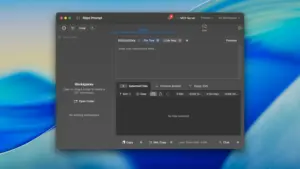





Anyone confirm what this is ? as repo-promt is free ?
what is this torrent over the free version ?
Run the downloaded image and drag the application to the Applications folder shortcut.
Once the copy is complete, you can launch the application from Launchpad.