
Path Finder 11.2 for Mac

Name:Path Finder 11.2 [TNT].dmg (25.4 MiB)
Review by:
Downloads 561
Rating
4.6 19 Click to rate
Checked
   Download Torrent Download Now

Path Finder 11.2 for Mac

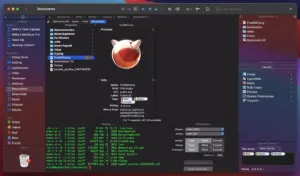
Path Finder is an advanced file manager for macOS designed for power users who need more control than Finder offers. It adds dual-pane navigation, batch operations, deep file tools, and workflow automation in a single workspace.

If you work with large folder structures, development assets, media libraries, or repetitive file tasks, Path Finder helps you move faster and stay organized.

Why users choose Path Finder

Dual-pane file management: browse and move files between two locations quickly, ideal for copy/sync workflows.

More control than Finder: access hidden files, advanced file info, folder comparison, and power actions from one interface.

Batch and automation tools: handle mass renaming, file operations, and repetitive maintenance with fewer manual steps.

Integrated utilities: tabs, bookmarks, quick preview, and terminal-friendly workflows support technical and creative users alike.

Version details

  • App: Path Finder
  • Version: 11.2
  • Platform: macOS

For exact feature updates and compatibility, check the official Path Finder site and release notes.

Older Versions

Version Publication date
Path Finder v2211 Latest
Path Finder v2204
Path Finder v2202
Path Finder v2200
Path Finder v2197
Path Finder v2191
Path Finder v2189
Path Finder v2188
Path Finder v2186
Path Finder v2185
Path Finder v2184
Path Finder v2181
Path Finder v2180
Path Finder v2178
Path Finder v2176
Path Finder v2175
Path Finder v2174
Path Finder v2173
Path Finder v2172
Path Finder v2170
Path Finder v2168
Path Finder v2166
Path Finder v2165
Path Finder v2164
Path Finder v2161
Path Finder v2159
Path Finder v2154
Path Finder v2153
Path Finder v2152
Path Finder v2151
Path Finder v2150
Path Finder v2149
Path Finder v2148
Path Finder v2147
Path Finder v2146
Path Finder v2142
Path Finder v2138
Path Finder v2136
Path Finder v2135
Path Finder v2134
Path Finder v2133
Path Finder v2131
Path Finder v2130
Path Finder v2129
Path Finder v2128
Path Finder v2127
Path Finder v2126
Path Finder v2125
Path Finder v2124
Path Finder v2123
Path Finder v2121
Path Finder v11.2 Current
Path Finder v11.1
Path Finder v11.0
Path Finder 10.0b12 v10 0b12
Path Finder 10.0b11 v10 0b11
Path Finder v10.2
Path Finder v10.1.2
Path Finder v10.1.1
Path Finder v10.1
Path Finder v10.0.4
Path Finder v10.0.3
Path Finder v10.0.2
Path Finder v10.0.1
Path Finder v10.0
Path Finder v9.4
Path Finder v9.3.5
Path Finder v9.3.4
Path Finder v9.3.2
Path Finder v9.3.1
Path Finder v9.3
Path Finder v9.0.5
Path Finder v9.0.2
Path Finder v9.0.1
Path Finder v8.6
Path Finder v8.5.2
Path Finder v8.5.1
Path Finder v8.5

Installation & Troubleshooting FAQ

7 questions

Common issues when installing macOS apps

Alternatives

1 Comment

  1. Mount the image and launch Open Gatekeeper Friendly.

    Press Enter to bypass Gatekeeper in the Terminal window.

    Drag the application to the Applications folder.

Join the Conversation

Your email address will not be published. Required fields are marked *