

Paste
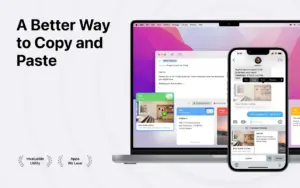
A clipboard manager for macOS that stores everything you copy—text, links, images, and files—in a searchable timeline instead of letting the system clipboard hold only the last item.
Everyday Mac workflow
Paste runs in the background and captures copies as you work. Open it with a keyboard shortcut from any app, scroll a visual history with source-app labels, and paste the item you need—or use ⌘1–9 for recent entries. Paste Stack lets you queue multiple clips and insert them in order, which helps with forms, code snippets, and repetitive data entry. You can paste with original formatting or as plain text, edit copied text inside Paste, and pause capture when handling passwords or sensitive content via custom rules.
Pinboards keep long-lived snippets, templates, and assets separate from transient history; shared pinboards support team or family collaboration with view/edit permissions. iCloud sync mirrors history and pinboards across Mac, iPhone, and iPad, alongside Universal Clipboard when you move between devices mid-task.
Search, privacy, and integrations
Search spans your full history with filters by app, date, device, or content type, including text inside screenshots according to the vendor. Privacy options include excluding sensitive apps, hiding Paste from screen sharing, and keeping data on-device plus private iCloud rather than vendor servers. On Mac, built-in MCP support can connect clipboard history to AI assistants such as Claude and Cursor; Apple Intelligence Writing Tools integrate for polishing copied text.
Licensing and version 6.6.2
Paste requires macOS 14.0 or later on Mac and is sold via Mac App Store subscription (monthly or annual), Family plan, or lifetime purchase, with a one-week trial. The 6.x line introduced a Liquid Glass–style redesign aligned with Apple’s OS 26 family UI, shared pinboards, Advanced Pause Paste, and MCP hooks. Version 6.6.2 (June 13, 2026) is a polish release: automatic search-index rebuild when results go empty, stable website license activation, full-height editing, reliable ⇧⌘E Writing Tools shortcut, clearer preview info bar, dark-mode layout fixes, and launch crash self-recovery.



Run the downloaded image and drag the app to the Applications folder shortcut.
After copying is complete, you can launch the app from Launchpad.
iCloud sync is unavailable.