
RAR Extractor – unzip 16.1 for Mac

RAR Extractor Max - Unzip
Name: RAR Extractor 16.1 [TNT].dmg.torrent (21.48MB)
Version: 16.1
Operating System: macOS
Program license: Free
Developer: Elimisoft
Interface language: English
Review by:
Downloads 165
Rating
4.7 15 Click to rate
Checked
   Download Torrent Download Now

RAR Extractor – Unzip

A Mac App Store archive utility for opening common compressed formats—especially RAR, ZIP, and 7Z—when macOS Archive Utility is not enough, with optional passworded archive creation and freemium VIP unlocks.

Everyday unzip workflow

You open an archive to browse its file list, preview selected items (documents, images, or media where supported) without always extracting the whole package, then pull out single files or run a full extract. Drag-and-drop from Finder or onto the Dock icon is part of the advertised workflow; you can also set the app as a default handler so double-clicking archives opens or extracts them directly. Batch unzip covers multiple archives in one pass. Split multi-volume sets are described as auto-detected so you do not have to manually order every part. Processing is presented as local/offline, which suits archives received via chat or downloads.

Creation focuses on password-protected ZIP and 7Z archives using AES-256 according to the listing. The Store description also claims a rebuilt UI, a lighter extract engine, Finder light/dark appearance sync, and in-archive preview for office docs, images, and common video/audio types. Treat vendor speed claims (such as percentage comparisons to other Mac archivers) as marketing unless you verify on your own hardware.

Licensing, requirements, and version 16.1

The app is free to download with in-app VIP purchases (lifetime and subscription tiers are listed on the Store). Free use is limited; version 16.1 explicitly adds additional free extraction and compression times and fixes some bugs, which implies the freemium counter still gates heavy use. Compatibility is macOS 11.5 or later. The seller is 万林 彭 (elimisoft copyright). Note that Apple’s catalog contains several similarly named “RAR Extractor” apps from the same developer family—confirm the listing title RAR Extractor-Unzip RAR ZIP 7Z (or matching bundle) if you maintain multiple catalog entries. Version 16.1 does not publish a detailed technical changelog beyond free-use allotment and unspecified bug fixes.
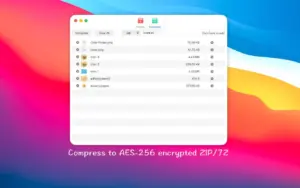

RAR Extractor Unzip 16.1 for Mac

Pros & Cons Show details

✅ PROS

  • Broad format coverage (RAR/RAR5, ZIP, 7Z, and many others) fills gaps left by the built-in Mac Archive Utility.
  • Preview and single-file extract help when you only need a few items from a large archive.
  • Batch unzip and Dock/Finder drag workflows suit repetitive download-and-extract tasks.
  • Version 16.1 increases free extraction/compression allotments before VIP is required, per the App Store notes.

❌ CONS

  • Ongoing free use is limited; VIP lifetime or subscription in-app purchases are needed to remove extract/compress quotas.
  • App Store What’s New for 16.1 only mentions free-use credits and unspecified bug fixes—no detailed fix list.
  • Multiple similarly named RAR Extractor apps from the same developer can confuse which SKU you installed or reviewed.
  • Marketing copy is heavy on speed/security claims; independent verification of engine performance is limited from public notes alone.
✅ What's New in 16.1 Show details
  1. [Free extraction times] — Added free extraction uses for the freemium quota.
  2. [Free compression times] — Added free compression uses for creating archives under the free tier.
  3. [Bug fixes] — Fixed some bugs (not itemized in the public What’s New text).
  4. [Format coverage] — Documented product support remains 60+ formats including RAR, ZIP, and 7Z (capability, not claimed new only in 16.1).
  5. [AES-256 ZIP/7Z create] — Password-protected ZIP and 7Z creation with AES-256 remains a listed feature (not a new 16.1 exclusive claim).
  6. [Preview & batch extract] — In-archive preview and batch unzip remain core workflows described on the Store page.

Older Versions

Installation & Troubleshooting FAQ

8 questions

Common issues when installing macOS apps

Alternatives

Join the Conversation

Your email address will not be published. Required fields are marked *