
Money Pro 2.11.31 for Mac

Money Pro - Bills
Name: Money Pro 2.11.31 MAS [TNT].dmg.torrent (54 MB)
Version: 2.11.31
Operating System: macOS
Program license: Free
Developer: MH Riley Ltd.
Interface language: Multilingual
Review by:
Downloads 246
Rating
4.8 12 Click to rate
Checked
   Download Torrent Download Now

Money Pro

A Mac personal finance app from iBear for bill planning, category budgets, multi-account registers, and reports—useful for household money tracking with optional sync and bank download tiers.

How you manage money on Mac

Day to day, you work from accounts and a checkbook-style register: checking, savings, credit cards, and other account types in one place, with recurring or one-time transactions, payee and class fields, check numbers, receipt photo attachments, and reconciliation that separates available and cleared balances. A calendar marks bill due dates; Today helps you approve due items quickly; reminders and reschedule options reduce missed payments. Budgets cover income and expense categories with per-period limits, overspending indicators, trend charts, and optional rollover so leftovers or prior overspending affect the next period. Split transactions help when one purchase spans several categories. Search finds activity by amount, category, payee, or description.

Bank data can arrive via OFX/CSV import with category prediction, or—on a GOLD subscription—through Online Banking connections where supported. Reports include income/expenses, cash flow, transactions, assets/liabilities (net worth), projected balance, and multi-period trends. You can customize categories and icons (including photo icons), use multiple currencies with exchange-rate updates, protect data with a password, and export or print to PDF, QIF, or CSV. Multiple profiles keep personal and family books separate. Backups run at critical moments and can be created manually.

Licensing, sync, and version 2.11.31

The Mac App Store lists a low upfront price with in-app PLUS and GOLD subscriptions. Core budgeting and register features work in the app; Money Pro Sync (cross-platform and family sharing) needs PLUS or GOLD, and Online Banking plus Goals require GOLD, per the vendor. Sync can span Mac, iOS, Android, and Windows under the same Money Pro account; only the profile owner needs the subscription for shared family use according to the FAQ. Current Mac compatibility is macOS 12.0 or later. Version 2.11.31 is a maintenance release: Apple’s What’s New states only that a few minor bugs were fixed, with no feature-level changelog published for this build.
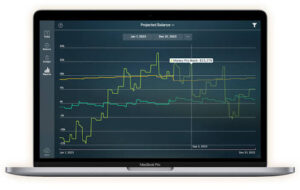

Money Pro 2.11.31 for Mac — Budget & Bills

Pros & Cons Show details

✅ PROS

  • Budgets, bill calendar, and multi-account registers sit in one Mac workflow instead of splitting spreadsheets and reminder apps.
  • OFX/CSV import and optional Online Banking (GOLD) reduce manual entry when you keep accounts up to date from statements or bank feeds.
  • Reports for cash flow, net worth, and trends help you see spending patterns beyond a single month’s list of transactions.
  • PLUS/GOLD sync supports cross-platform and family sharing so household members can track a shared profile when the owner subscribes.

❌ CONS

  • Sync and bank download features depend on recurring PLUS or GOLD in-app subscriptions, not just the small Mac App Store purchase.
  • Online Banking coverage varies by institution; you should verify your bank before relying on GOLD for automatic downloads.
  • Version 2.11.31’s App Store notes list only unspecified minor bug fixes, so you cannot audit exact changes from a public detailed changelog.
  • Users who want a fully offline, one-time-purchase finance app without cloud subscriptions may find the optional services model limiting.
✅ What's New in 2.11.31 Show details
  1. [Minor bug fixes] — Developer states a few minor bugs were fixed to improve app reliability.
  2. [Maintenance 2.11.x pattern] — Recent Mac builds in this line use the same generic What’s New text without naming individual tickets.
  3. [No new feature claims] — Public notes do not announce new budgeting, report, sync, or banking capabilities in this build.
  4. [Budgets & rollover] — Documented income/expense budgets with optional period rollover remain part of the Mac product.
  5. [Bills & calendar] — Recurring bills, due-date calendar, Today approval, and reminder/reschedule tools remain core workflows.
  6. [Import & subscriptions] — OFX/CSV import stays available; Sync (PLUS/GOLD) and Online Banking (GOLD) remain subscription-gated services as documented by iBear.

Older Versions

Version Publication date
Money Pro v2.11.31 Latest Current
Money Pro v2.11.30
Money Pro v2.11.29
Money Pro v2.11.24
Money Pro v2.11.23
Money Pro v2.11.22
Money Pro v2.11.21
Money Pro v2.11.19
Money Pro v2.11.18
Money Pro v2.11.17
Money Pro v2.11.16
Money Pro v2.11.15
Money Pro v2.11.14
Money Pro v2.11.13
Money Pro v2.11.12
Money Pro v2.11.10
Money Pro v2.11.9
Money Pro v2.11.7
Money Pro v2.11.6
Money Pro v2.11.5
Money Pro v2.11.4
Money Pro v2.11.1
Money Pro v2.11.0
Money Pro v2.10.19
Money Pro v2.10.18
Money Pro v2.10.17
Money Pro v2.10.15
Money Pro v2.10.13
Money Pro v2.10.11
Money Pro v2.10.10
Money Pro v2.10.9
Money Pro v2.10.8
Money Pro v2.10.7
Money Pro v2.10.5
Money Pro v2.10.4
Money Pro v2.10.3
Money Pro v2.10.2
Money Pro v2.10.0
Money Pro v2.9.5
Money Pro v2.9.4
Money Pro v2.9.3
Money Pro v2.1.3
Money Pro v1.8
Money Pro v1.7.6
Money Pro v1.7.3
Money Pro v1.7.2

Installation & Troubleshooting FAQ

8 questions

Common issues when installing macOS apps

Alternatives

Join the Conversation

Your email address will not be published. Required fields are marked *