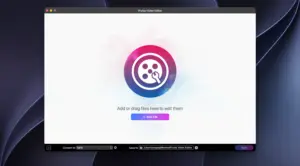
iFunia Video Editor
A beginner-oriented Mac video utility for quick fixes—trim, crop, rotate, watermark, subtitles, and volume—without learning a full timeline editor like Final Cut Pro or Premiere.
iFunia Corporation positions the app for people who need a clip shortened for social posts, a phone video rotated upright, black bars cropped out, or a logo burned in before sharing. You add a file by drag-and-drop or File > Add File; an edit window opens per clip. Trim uses handles or typed start/end times. Crop offers keep-original, 16:9, 4:3, or free aspect ratios. Rotate and flip cover 90° steps and vertical/horizontal mirrors. Effects include brightness, contrast, saturation, tint, temperature, a small set of filters, and optional deinterlacing. Watermarks can be text (font, color, position, opacity) or an image resized on the frame. Subtitles load embedded tracks or external SRT, ASS, and SSA files; chapters can mark long files for navigation. Volume adjusts globally with optional fade-in and fade-out (about 1–3 seconds).
Export, platforms, and licensing
Edits preview in real time before export. The Mac App Store listing (titled iFunia VideoEditor) is free, with no subscription called out on the product page, and states wide format compatibility plus export to popular formats. The developer’s website sells a parallel Video Editor product with a free trial and lifetime plans (commonly listed around $29.99 for one Mac, with multi-PC packs and a 30-day money-back guarantee). App Store privacy labeling reports that no data is collected. Store size is about 39.3 MB; languages include English, French, German, Italian, Japanese, Portuguese, and Spanish.
Compatibility differs slightly by channel: the App Store build requires macOS 10.13 or later, while current ifunia.com download copy cites macOS 10.15 or later for the site installer—check the package you use. The vendor claims GPU-accelerated export and support for high resolutions including 8K input on the marketing site; treat that as best-effort depending on Mac hardware.
Version 4.2.0
Version 4.2.0 (listed June 9 on the Mac App Store) is a polish release: optimized UI, updated output formats, and bug fixes. It does not advertise new timeline features, multicam, or advanced color grading. If you already use iFunia for one-clip cleanup, 4.2.0 is worth installing for refreshed export options and stability; newcomers should expect a lightweight single-file editor, not a project-based NLE.