Ocean Swift Sound Creator Suite 1.9.0 for Mac

ocean-swift-sound-creator-suite
Name:Ocean Swift Sound Creator Suite v1.9.0 macOS.dmg.torrent (147.33MB)
Hash:fe57ec79ca05e320cba11317ba3b4a2c880611bb
Review by:
Downloads 90
Rating
4.6 20 Click to rate
Checked
   Download Torrent Download Now

Sound Creator Suite

A standalone desktop environment from Ocean Swift Synthesis that bundles more than thirty specialized utilities for advanced sound design, sample-library prep, and virtual-instrument development on Mac and Windows.

Typical Mac workflow

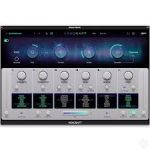
On Mac you launch the suite as a centralized host, then open the tool you need from the included library rather than juggling separate installers. A Kontakt builder might start in Kontakt Performance View to lay out .nckp interfaces with drag-and-drop prefabs, switch to GUI Knob Maker to render knob sprites and sprite sheets, and finish with NKS Preset Tagging or NKS Sample Tagging to batch-embed Native Instruments metadata before publishing.

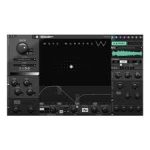
Sound designers can run Audio Batch Process across thousands of files, align loop starts with Audio Loop Aligner, or automate hardware captures through Sampler Auto MIDI and Sampler Auto Threshold. Wavetable Creator, Extractor, Converter, and Viewer cover building and translating tables between synth formats. MIDI and OSC monitors, generators, and routing tools support controller testing, while Toolbox Music Handyman handles tempo, delay, and pitch math during sessions.

Requirements, licensing, and version 1.9.0

The Mac build targets Apple Silicon only; Intel Macs are not supported per the vendor. Windows 10 and 11 are also supported. The suite sells for about €100 with periodic discounts, includes lifetime free updates, and is distributed directly from oceanswift.net rather than the Mac App Store. As of research for this card, the public product page listed build v1.6.0 and published no separate changelog for version 1.9.0, so exact changes in 1.9.0 are not documented on the official site.
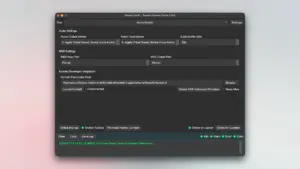
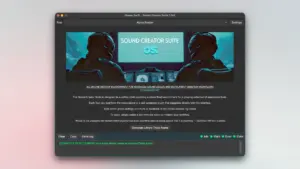
Sound Creator Suite 1.9.0 — Sound Design for Mac Ocean Swift Sound Creator Suite 1.9.0

Pros & Cons Show details

✅ PROS

  • More than thirty purpose-built tools in one host reduce the need to buy and maintain separate Ocean Swift utilities for Kontakt, wavetable, and batch jobs.
  • Kontakt Performance View plus GUI Knob Maker covers visual instrument UI work without hand-writing layout code for every control.
  • Automated hardware sampling, loop alignment, and bulk DSP processing speed up sample-library creation compared with manual DAW bouncing.
  • NKS preset and sample taggers address tedious Native Instruments ecosystem prep that many standalone converters ignore.
  • Lifetime free updates on a one-time purchase suit developers who expect the toolkit roadmap to keep growing.

❌ CONS

  • Version 1.9.0 has no public per-build release notes on the vendor site, and the product page still listed v1.6.0 when researched, so patch-level changes are unclear.
  • macOS support is Apple Silicon only; Intel Mac users cannot run the Mac edition according to official requirements.
  • At roughly €100 it targets serious sound designers and Kontakt developers, not casual users who only need a single converter.
  • Direct-store distribution only with no Mac App Store listing may complicate purchase on locked-down studio machines.
  • The all-in-one scope has a learning curve because each sub-tool has its own workflow rather than one simplified interface.
✅ What's New in 1.9.0 Show details
  1. No public 1.9.0 changelog — Ocean Swift did not post separate release notes for build 1.9.0 on its product or support pages when this card was written.
  2. Lifetime update policy — The vendor advertises lifetime free updates, which may deliver builds such as 1.9.0 to licensed customers outside public changelog pages.
  3. GUI Knob Maker — Documented tool for generating plugin and Kontakt UI components and exporting stitched animation sprite sheets.
  4. Kontakt Performance View — Documented WYSIWYG editor for .nckp interfaces with drag-and-drop layout and direct Kontakt connection.
  5. NKS batch tagging — Documented NKS Preset Tagging, Sample Tagging, and Controller Mapper utilities for Native Instruments hardware workflows.
  6. Auto sampling stack — Documented Sampler Auto MIDI and Auto Threshold tools automate external-gear capture, looping, and disk export.

Installation & Troubleshooting FAQ

8 questions

Common issues when installing macOS apps

Alternatives

Join the Conversation

Your email address will not be published. Required fields are marked *