Sound Grinder Pro 3.6 for Mac

sound-grinder-pro
Name:Sound Grinder Pro 3.6 [TNT].dmg.torrent (19.7MB)
Hash:ad8e08cc2caebc4de62da34826c31c3719249849
Review by:
Downloads 117
Rating
4.7 9 Click to rate
Checked
   Download Torrent Download Now

Sound Grinder Pro

A macOS audio workstation for batch conversion, waveform editing, and metadata management that targets post-production, game audio, and music libraries where thousands of files must be converted, trimmed, or tagged without opening a full DAW.

Typical Mac workflow

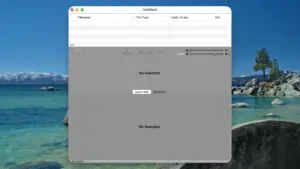
You import files or folders into a single-window list view, configure conversion presets, and run unattended jobs that retain folder structure, normalize levels, or rename assets for Pro Tools compatibility. Droplets let you drag files in Finder onto a saved preset, which suits repetitive delivery tasks such as generating multiple formats from a master library or preparing stems before upload.

When edits are needed, the built-in waveform editor supports multi-channel files, sample-accurate cuts, fades, loops, markers, and regions. Portion Control exports user-defined segments—start, middle, or end slices with fades—for demo reels, loop packs, or auto-regioned batches with custom naming. You can preview process settings, scrub playback, and loop sections before committing a job.

Plugins, metadata, and DAW handoff

Sound Grinder Pro hosts AU and VST plug-ins, including Monkey Tools’ Watermark plug-in, so you can build previewable processing chains for batch jobs. Metadata tools cover ID3, Vorbis, FLAC, WAVE info, Broadcast WAVE, Soundminer fields, and CSV import for large tagging passes. Spotting integrates with Pro Tools and Logic Audio, converting assets to session settings on the way in. Supported export formats include AIFF, WAVE, FLAC, MP3 (LAME), AAC, Apple Lossless, and OGG.

Licensing and version 3.6

The app requires macOS 10.13 or later and runs natively on Apple Silicon per the vendor’s Version 3 notes. Monkey Tools sells a one-time license (about $349 on the product page) with a trial DMG; active licenses are required for in-app updates. Version 3.6 is the current direct download from intuitibits.com’s vendor site as of May 2026, but Monkey Tools does not publish a detailed changelog for this build—treat 3.6 as the latest maintenance line of the Version 3 feature set rather than a documented feature drop.
 Sound Grinder Pro 3.6 — Batch Audio Tool for Mac

Pros & Cons Show details

✅ PROS

  • Batch conversion with folder-structure retention, Droplets, and unattended mode suits large libraries and repetitive delivery pipelines on Mac.
  • Built-in waveform editor with regions, loops, markers, and Portion Control reduces round-trips to a separate DAW for trimming and demo exports.
  • AU and VST batch pipelines with preview let you apply familiar plug-ins across thousands of files in one job.
  • Broad metadata support (ID3, FLAC, BWF, Soundminer, CSV import) helps sound librarians and game-audio teams keep tags consistent.
  • Native Apple Silicon support and 64-bit processing align with current Mac hardware for long conversion runs.

❌ CONS

  • Monkey Tools does not publish per-version release notes for 3.6, so exact fixes in this build are unclear.
  • The ~$349 one-time license and active-license requirement for updates put it out of reach for casual users who only need simple format conversion.
  • The single-window, feature-dense interface has a learning curve compared with lighter converters like the base Sound Grinder app.
  • Plugin batch jobs depend on third-party AU/VST stability; problematic plug-ins can complicate unattended processing.
  • It is sold only through Monkey Tools, not the Mac App Store, which may matter for managed or sandboxed Mac environments.
✅ What's New in 3.6 Show details
  1. Batch conversion engine — Converts large file sets with presets, folder-structure retention, normalization, and custom naming for Pro Tools–compatible splits.
  2. Portion Control — Exports defined start, middle, or end segments with fades, auto-regioning, and custom names for demos and loop libraries.
  3. AU and VST processing — Batch-applies Audio Unit and VST plug-ins, including Monkey Tools’ Watermark plug-in, with pipeline preview before processing.
  4. Waveform editor — Edits multi-channel audio with overview navigation, sample-level cuts, fades, loops, markers, regions, and auto-trim actions in one app.
  5. Metadata batch tools — Imports, edits, and exports ID3, Vorbis, FLAC, WAVE, Broadcast WAVE, Soundminer, and CSV-driven tags visible in the list view.
  6. Version 3 platform support — Apple Silicon, 64-bit processing, list-view audio overview, and macOS 10.13+ compatibility are documented for the Version 3 product line that includes 3.6.

Older Versions

Version Publication date
Sound Grinder Pro v3.6 Latest Current
Sound Grinder Pro v3.5
Sound Grinder Pro v3.4.1
Sound Grinder Pro v3.2.2
Sound Grinder Pro v3.2.1
Sound Grinder Pro v3.2
Sound Grinder Pro v3.1.1
Sound Grinder Pro v3.1
Sound Grinder Pro v3.0.4

Installation & Troubleshooting FAQ

8 questions

Common issues when installing macOS apps

Alternatives

Join the Conversation

Your email address will not be published. Required fields are marked *