
Wins 3.4 for Mac

Wins
Name:Wins 3.4.dmg.torrent (54.81MB)
Hash:83d3cf8d54eaeb43bb2a955e584022e4bad54e51
Review by:
Downloads 143
Rating
4.8 25 Click to rate
Checked
   Download Torrent Download Now

Wins

A macOS window manager that lives inside System Settings and adds Windows-style snapping, previews, and keyboard-driven switching without a separate menu-bar utility cluttering the desktop.

Typical Mac workflow

After a one-day trial, you enable Wins in System Settings and grant the accessibility and screen-recording permissions the vendor documents for Dock Preview and related overlays. Day to day you drag windows to screen edges for quick splits, pull a window toward the top to open Snap Island layout choices, or shake a window with Aero Shake to hide everything else and focus on one task. Flick Dock minimizes an app when you click its Dock icon a second time; hovering the Dock shows thumbnails of every open window for that app so you can jump to the right document without hunting through Mission Control.

Cmd-Tab Plus extends the built-in app switcher with previews, arrow-key navigation, and shortcuts to close or quit from the overlay. Mission Control Pro adds ⌘W and ⌘Q actions inside Mission Control and App Exposé. Custom keyboard shortcuts can trigger named layouts, move windows between displays, or hide all windows in one keystroke — useful on dual-monitor setups where macOS tiling alone feels limited. The vendor reports low memory use and native support on both Apple Silicon and Intel Macs from macOS 10.13 High Sierra through current releases including macOS 26 Tahoe.

Licensing and version 3.4

Wins is sold only from wins.cool as a one-time lifetime license, not through the Mac App Store. Wins Single ($19.99) covers one Mac and includes one year of updates; Wins Pro ($39.99) and Wins X ($49.99) cover three or five Macs with lifetime updates. Version 3.4, released 29 June 2026, centers on Snap Island: a redesigned top-edge overlay that merges with the MacBook notch on notched models and appears as a floating island on other displays. The same build expands Cmd-Tab Plus for multi-window apps, makes Hide All Windows a recall toggle, and ships several stability and speed fixes documented on the official changelog.
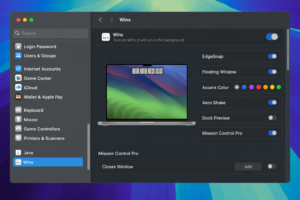

Wins 3.4 — Snap Island Window Manager for Mac


Pros & Cons Show details

✅ PROS

  • Snap Island and edge snapping give predictable layouts faster than manual resizing, especially on notched MacBook screens.
  • System Settings integration keeps controls in one native panel instead of adding another always-on menu-bar app.
  • Cmd-Tab Plus, Dock Preview, and Mission Control Pro address real multi-window pain points that stock macOS shortcuts leave awkward.
  • Lifetime licensing with no subscription on Pro and X tiers suits users who dislike recurring window-manager fees.
  • Apple Silicon and Intel support back to macOS 10.13, plus documented macOS 26 compatibility, covers a wide hardware range.

❌ CONS

  • Only a one-day free trial; continued use requires a paid license after the trial ends.
  • Wins Single includes just one year of updates, so long-term feature access may need a Pro upgrade.
  • Dock Preview and several overlays require accessibility and screen-recording permissions that privacy-conscious users may hesitate to grant.
  • Not distributed on the Mac App Store; you download and license directly from the vendor site.
  • Heavy customization overlaps with macOS 15+ built-in window tiling, so some users may find Wins redundant alongside Apple’s newer tools.
✅ What's New in 3.4 Show details
  1. Snap Island redesign — All-new Snap Island blends into the MacBook notch so you drag once to pick a layout and snap in seconds.
  2. Cmd-Tab Plus numeric badges — Apps with multiple windows show 1, 2, and 3 badges; press the number to switch instantly.
  3. Cmd-Tab Plus window list — The switcher now displays more than five windows per app for heavier multitasking sessions.
  4. Hide All Windows toggle — Triggering Hide All Windows a second time restores minimized windows with their original stacking order.
  5. Flick Dock stability — Improved Flick Dock behavior when an application has several open windows at once.
  6. Hide shortcut performance — Optimized response speed for Hide All Windows and Hide Other Windows actions.
  7. Dock Preview wake fix — Fixed an occasional bug where Dock Preview showed traffic-light buttons after waking from sleep.

Older Versions

Version Publication date
Wins v3.4 Latest Current
Wins v2.5.1

Installation & Troubleshooting FAQ

8 questions

Common issues when installing macOS apps

Alternatives

Join the Conversation

Your email address will not be published. Required fields are marked *