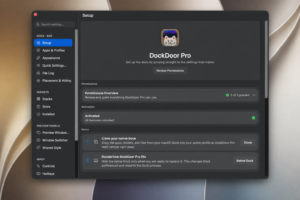
DockDoor Pro
A native macOS dock replacement from solo developer ejbills that runs as its own SwiftUI and AppKit dock with live window thumbnails, magnification, widgets, and deep customization—separate from the free open-source DockDoor enhancer.
Typical Mac workflow
After granting Accessibility and Screen Recording permissions, DockDoor Pro can hide the system Dock and show its own icon strip with spring-driven magnification, folder fan-out panels, and hover previews where you close, minimize, tile, or quit windows without raising the app first. Scroll up on the dock to open the file tray for drag-and-drop staging, pinned folders, and an AirDrop zone; assign different dock profiles per display or let AppSense switch layouts when you focus specific apps.
Built-in and marketplace widgets add clock, weather, battery, Now Playing with lyrics, and community SwiftUI bundles. An Alt-Tab-style switcher, letter navigation, overlap avoidance, and backup or restore of settings target power users who outgrew Apple’s dock. DockDoor Free on dockdoor.net only augments the built-in dock; Pro is a different paid app and the two are not meant to run together.
Licensing and version 0.0.138
DockDoor Pro sells for $20 as a lifetime license for up to three Macs via pro.dockdoor.net (Gumroad checkout), with a 7-day money-back guarantee while the product remains in public beta. It requires macOS 14 Sonoma or later on Apple Silicon or Intel and is not distributed on the Mac App Store. Version 0.0.138 (June 23, 2026) adds app icon variants, Quick Action button customization, panel text styling, shelf background toggles, auto-hide reveal options, and multiple tap, hover, and magnification reliability fixes per the official changelog.