
Moom 4.5.1 for Mac

Moom
Name:Moom 4.5.1 [EDiSO].dmg.torrent (12.53MB)
Hash:cf9f01d8de70d97f705d335950f86427e7f9f673
Review by:
Downloads 266
Rating
4.3 8 Click to rate
Checked
   Download Torrent Download Now

Moom

A macOS window manager from Many Tricks that turns the green zoom button and custom shortcuts into precise move-and-resize actions so you can tile apps on one display without manual dragging.

Typical Mac workflow

Hover the green resize control to open Moom’s pop-up palette and pick halves, quarters, or full-screen targets, or define your own grid. Keyboard mode and chained custom actions let power users reposition windows without touching the mouse. Saved layouts can recall a whole workspace—browser left, editor center, terminal right—and optionally hide apps that are not part of the preset, a feature expanded in version 4.5.

Moom focuses on single-display management rather than spanning monitors: it subtracts menu bar, Dock, and optionally Stage Manager sidebar space so windows land in usable pixels. Drop zones, window highlighting, and an action chooser round out daily use for developers, writers, and anyone juggling multiple windows on a MacBook or external screen. Moom 4 is sold only from Many Tricks (Moom Classic remains on the Mac App Store for older buyers).

Licensing and version 4.5.1

New licenses cost $15 with a free trial; Moom 3 owners upgrade for $8. Licenses are perpetual with at least one year of included updates per Many Tricks policy. The app requires macOS 10.13 High Sierra or later. Version 4.5.1 (June 30, 2026) is a minor maintenance release: it improves Bartender Top Shelf compatibility, fixes layout handling for titleless windows such as cmux, keeps window ordering steadier when restoring layouts on recent macOS, and prepares visuals for macOS 27.
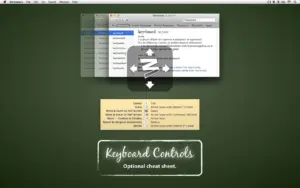

Moom 4.5.1 — Window Manager for Mac

Pros & Cons Show details

✅ PROS

  • The hover palette on the green button makes common half-and-quarter layouts faster than manual resize drags.
  • Custom keyboard shortcuts and chainable actions suit repetitive tiling workflows on a single monitor.
  • Saved layouts can restore entire workspaces and optionally hide unrelated apps when applied.
  • One-time $15 license with perpetual use is inexpensive compared with subscription window managers.
  • Long-running Many Tricks support and detailed release notes reflect mature, actively maintained macOS-native code.

❌ CONS

  • Version 4.5.1 is a patch release with compatibility fixes rather than new window-management features.
  • Moom 4 is not on the Mac App Store; new buyers must purchase directly from Many Tricks.
  • Layout tools target one display at a time, so multi-monitor power users may still want a different manager.
  • Paid major upgrades can follow the first included year of updates under Many Tricks’ evolutionary licensing model.
  • Some fixes (Bartender Top Shelf, cmux titleless windows) matter only if you run those specific tools or apps.
✅ What's New in 4.5.1 Show details
  1. macOS 27 preparation — Visual updates prepare Moom for the upcoming macOS 27 retro-modern look.
  2. Inactive-space layouts — Applying a layout no longer hides apps on inactive Spaces.
  3. cmux window fix — Fixed layout positioning for windows without a title attribute, as seen in cmux.
  4. Bartender Top Shelf — Improved compatibility with Bartender’s Top Shelf feature.
  5. Layout window ordering — Reduced inconsistent window ordering when restoring layouts on newer macOS versions.
  6. Stage Manager animation — Fixed a cosmetic glitch where the action-chooser size demo did not animate smoothly with Stage Manager enabled.
  7. Debug logging — Added optional ephemeral unredacted debug logging in Moom’s own log window for troubleshooting on macOS versions that redact Console output.

Older Versions

Version Publication date
Moom v4.5.1 Latest Current
Moom v4.5
Moom v4.4
Moom v3.2.27
Moom v3.2.26
Moom v3.2.25
Moom v3.2.24
Moom v3.2.23
Moom v3.2.22
Moom v3.2.21
Moom v3.2.20
Moom v3.2.19
Moom v3.2.18
Moom v3.2.15

Installation & Troubleshooting FAQ

8 questions

Common issues when installing macOS apps

Alternatives

1 Comment

  1. Sirena, you should add the apps official homepage as well to package description. To all apps here, currently I have to search for Moom separately, bad UX.

Join the Conversation

Your email address will not be published. Required fields are marked *