

djay Pro AI
Algoriddim’s Mac DJ platform for live mixing, streaming-library sets, and AI-assisted performance—Neural Mix stems, Automix AI, and deep integration with Pioneer DJ, AlphaTheta, RANE, and dozens of other controllers.
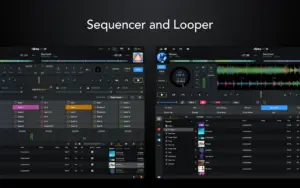
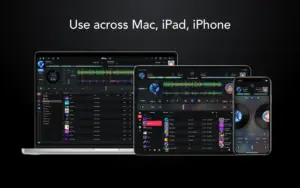
djay Pro AI (branded djay Pro on Mac) targets bedroom DJs, mobile performers, and club setups who want a polished deck UI without assembling plugins. Connect Apple Music or Spotify to browse millions of tracks, scratch and beatmatch on a virtual turntable layout, or isolate vocals, drums, and instruments in real time with Neural Mix. Automix AI builds transitions from intros and outros; video mixing, sampler pads, and extensive MIDI mapping extend into pro territory. A free Mac App Store download covers core mixing; a djay PRO subscription unlocks Neural Mix, Automix, and related advanced tools across Mac, iOS, Windows, and Android via one account, with a 7-day trial available.
Typical Mac workflow
Import local files or sign into Spotify, build a crate, plug in a DDJ or DJM mixer, and map performance pads to hot cues and stem toggles. On supported Pioneer CDJs, track queues can appear on the player screen; recent 5.6.x releases added screen support for XDJ-AZ, Opus Quad, DJM-S11, DDJ-REV7, and Pro DJ Link routing through flagship mixers. Neural Mix quality is strongest on Apple silicon Macs per vendor documentation. The app needs macOS 10.15 or later and roughly 500 MB install space plus room for media libraries.
Version 5.6.6
Release 5.6.6 (June 25, 2026) is a hardware-focused maintenance update. Official notes add full support for AlphaTheta DJM-V5 and Pioneer DJ DJM-A9 and DJM-V10 mixers (DJM-V5 had earlier preliminary mapping in 5.6.3). CDJ integration gains the ability to mark tracks in the on-deck queue on screen. The release also lists unspecified bug fixes and improvements—community reports expected fixes for library sorting edge cases may be included but are not itemized in the public changelog.

Mount the image and launch Open Gatekeeper Friendly.
Press Enter to bypass Gatekeeper in the Terminal window.
Drag the application to the Applications folder.
WARNING! SIP must be disabled. <a href=”https://www.torrentmac.net/faq/what-is-sip-and-how-to-disable-it/” target=”_blank” rel=”noopener”>Learn more ></a>
Compatibility
macOS 10.15 and later
Architecture
ARM, x86 (64-bit)
Note
Includes in-app purchases