Parallels Desktop
The mainstream Mac virtualization suite for running Windows, Linux, and other macOS versions side by side with your host system—optimized for Apple silicon and the only solution Microsoft authorizes for Windows 11 on M-series Macs.
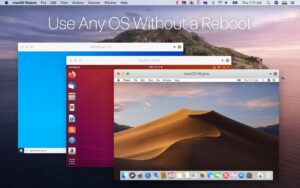
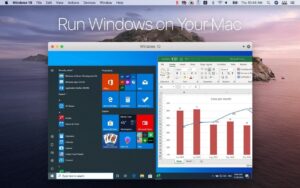
Parallels Desktop installs virtual machines that behave like separate computers: full Windows 11 for Office, CAD, or legacy apps; Linux distros for development; or macOS guests for testing. Coherence mode blends Windows apps into the Mac desktop; full-screen and windowed modes suit games and pro software. Integration features include shared folders, clipboard, drag-and-drop, camera and printer passthrough, and Parallels Tools for smoother graphics and input. The product line spans Standard, Pro, Business, and Enterprise editions—the latter adds MDM-friendly deployment, golden images, SSO activation, and declarative Windows provisioning for Intune.
Typical Mac workflow
On an Apple silicon Mac, use the Install Assistant to pull a Windows 11 ARM image, sign in with a Microsoft account, and install apps as on a PC. Developers keep a Linux VM for containers or x86 tooling; IT teams distribute sealed Enterprise images through Azure blobs or mass-deployment packages. Daily use might mean Excel in Coherence while Mail stays on macOS, or a full-screen Windows-only app on a second desktop. Version 26 aligned numbering with macOS Tahoe 26, refreshed icons on Tahoe hosts, improved Coherence sleep behavior, and added Linux distro templates for current Ubuntu, Fedora, Debian, and Kali releases.
Parallels Desktop 26 requires a newer Mac OS than older releases: Monterey 12 is no longer supported as a host. The vendor lists broad compatibility from Mojave 10.14.6 onward with best performance from Ventura 13.7+. Licensing is subscription-based (annual plans vary by edition); a trial is available from Parallels. Running Windows still needs a valid Windows license inside the VM. Resource use is significant—RAM and storage for VMs should be planned on 8 GB or 16 GB Macs.
Version 26.4.0 (build 57513)
Released June 22, 2026, build 57513 is a stability and security maintenance update. Official notes fix Windows 11 VMs that crashed, froze at startup or shutdown, or shut down randomly; OpenGL apps (including Blue Sky Plan and coDiagnostix) rendering black; RSTAB9 viewer black screens; Outlook attachments not opening in Windows guests; inactive screen regions in Kali Linux with Xfce; and macOS Ventura 13 guests failing to reach the internet when bridged to Wi-Fi. Enterprise adds Azure Storage blob distribution for golden images, prlsrvctl info --license for activation reporting, and pre-sign-in provisioning for Intune enrollment.