Fork 2.68.0 for Mac

Fork
Name:Fork 2.68.0 [TNT].dmg.torrent (44.83MB)
Hash:5cab20568df7ea332f7bbb70e32aae38f1b895bd
Review by:
Downloads 79
Rating
4.5 30 Click to rate
Checked
   Download Torrent Download Now

What Fork does on Mac

Fork is a native macOS Git client that puts repositories, staging, diffs, history, and remote operations in one fast interface for everyday and advanced version control work.

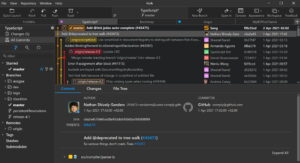
Developed by Dan Pristupov, Fork targets developers who want a polished desktop Git experience without living in Terminal. You clone or open repos, stage and unstage changes line by line, review side-by-side diffs, manage branches and tags, and run merge, rebase, cherry-pick, revert, stash, submodule, and Git LFS workflows from a Swift/Cocoa app. Visual tools such as interactive rebase, merge-conflict resolution, blame, reflog browsing, and image diffs help you stay inside one window for most tasks.

Typical Mac workflow

Most users open a repository, inspect working-directory changes in the diff view, stage hunks or individual lines, write a commit message with access to recent subjects, and push to GitHub, GitLab, Bitbucket, or other remotes. From the commit list you compare branches, resolve conflicts with the built-in helper, reorder commits through interactive rebase, and recover work from stashes or reflog entries. Tabbed windows let you keep multiple repos open, while recent versions add stronger worktree support for parallel checkouts.

Version 2.68.0

Build 2.68.0 expands tab management and worktree workflows. A new tab context menu lets you rename tabs, assign colors, open the repo folder in Terminal, or reveal it in Finder. You can check out a remote branch directly as a worktree, and 16-bit RGBA images now support pixel-level diff viewing. Fixes restore the Option+Command+Return Commit and Push shortcut, hide the search overlay when the diff view closes, and prevent out-of-memory crashes when opening very large minified files.

Licensing and requirements

Fork for Mac requires macOS 10.11 or later according to the vendor site and runs as a direct download rather than through the Mac App Store. A free evaluation is available; a one-time license costs $59.99 from the developer. Fork also ships for Windows, but there is no Linux build.
fork 2.68.0 for Mac — Git Client

Pros & Cons Show details

✅ PROS

  • Fork is a native Swift/Cocoa Mac app with responsive diffs, tabbed repos, and keyboard shortcuts instead of a heavy Electron-style client.
  • Line-level staging, side-by-side diffs, image diffs, interactive rebase, and a merge-conflict helper cover most daily Git tasks without switching tools.
  • Built-in support for Git LFS, GPG signing, submodules, Git-flow, and worktrees suits teams with more complex repository setups.
  • Version 2.68.0 adds practical tab controls such as rename, color labels, Open in Terminal, and Show in Finder for faster context switching.
  • A one-time $59.99 license with a free trial avoids recurring subscription fees common among newer developer utilities.

❌ CONS

  • Fork requires a paid license after the evaluation period; it is not free open-source software like some Terminal-first alternatives.
  • The app is distributed only from the developer website, not the Mac App Store, so updates and licensing flow outside Apple’s unified purchase system.
  • Version 2.68.0 is a focused workflow and stability release rather than a major new Git paradigm beyond tabs and worktrees.
  • There is no native Linux version, which limits cross-platform teams who standardize on one desktop Git client everywhere.
  • Very large minified files could still stress the diff viewer; 2.68.0 fixes a crash case but huge generated assets may remain awkward to inspect inline.
✅ What's New in 2.68.0 Show details
  1. [Tab context menu] — Right-click a tab to rename it, pick a color, open the repository in Terminal, or show it in Finder for quicker navigation.
  2. [Remote branch worktree checkout] — You can check out a remote branch as a worktree directly, which speeds parallel feature work without manual Git commands.
  3. [16-bit RGBA pixel diff] — Image diffs now support pixel-level comparison for 16-bit RGBA files, improving review of high-depth graphics assets.
  4. [Commit and Push shortcut fix] — Option+Command+Return for Commit and Push works again after a regression in the previous build.
  5. [Search overlay fix] — The search overlay no longer stays visible when you hide the diff view, reducing UI clutter during review.
  6. [Large minified file memory fix] — Opening very large minified files no longer triggers out-of-memory failures when viewing file contents in the app.

Older Versions

Version Publication date
Fork v2.68.0 Latest Current
Fork v2.67.0
Fork v2.64
Fork v2.63.1
Fork v2.62.0
Fork v2.60.1
Fork v2.59.0
Fork v2.58.0
Fork v2.57.0
Fork v2.56.0
Fork v2.55.0
Fork v2.54.0
Fork v2.53.1
Fork v2.52.0
Fork v2.51
Fork v2.50.1
Fork v2.50
Fork v2.49
Fork v2.47
Fork v2.46.1
Fork v2.46
Fork v2.45
Fork v2.44
Fork v2.42
Fork v2.41.1
Fork v2.40.2
Fork v2.40
Fork v2.39
Fork v2.38
Fork v2.37
Fork v2.35
Fork v2.34
Fork v2.32
Fork v2.31
Fork v2.30
Fork v2.29.2
Fork v2.28

Installation & Troubleshooting FAQ

8 questions

Common issues when installing macOS apps

Alternatives

Important

Mount the image and launch Open Gatekeeper Friendly.

Press Enter to bypass Gatekeeper in the Terminal window.

Drag the application to the Applications folder.

The application is ready to use.

Compatibility
macOS 10.13 and later

Architecture
ARM, x86 (64-bit)

Join the Conversation

Your email address will not be published. Required fields are marked *