Turn any folder into a searchable spreadsheet
File List Export is a macOS utility by Georgios Trigonakis that scans directories and exports file names, paths, and metadata to Excel or CSV for inventory, audit, and media-management workflows.
How scanning and export work
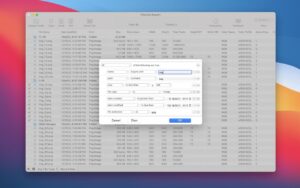
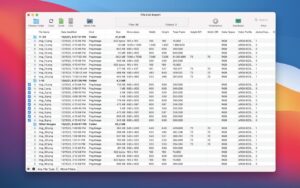
Select a folder or drag files into the app, optionally include subfolders, and preview the results before saving. Filter by file kind—photos, audio, PDFs, or everything—and search or sort columns such as name, size, dates, tags, and path before export.
- Photographers: export Exif columns including camera, lens, ISO, GPS, and capture date alongside thumbnails in Excel.
- Music libraries: list audio metadata such as artist, album, bitrate, sample rate, and duration from large collections.
- IT and archives: generate MD5 or SHA256 checksums and folder inventories for compliance or cleanup projects.
Metadata depth and customization
The app exposes dozens of columns covering images, video, audio, documents, and general file attributes. Saved column sets let you switch layouts quickly, and version 2.9.5 added custom column header names that carry through to exported spreadsheets.
File List Export 2.9.6
Version 2.9.6 requires macOS 10.13 or later and adds drag-out support: move items from the list into Finder, Mail, Pages, and other apps with copy-only behavior so originals stay in place. Available on the Mac App Store for a one-time purchase.