

Archive extraction and creation on Mac
RAR Extractor Max is a macOS utility from Elimisoft for opening, previewing, and creating compressed files when the built-in Archive Utility falls short on formats like RAR or 7Z.
Everyday archive workflows
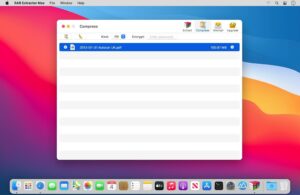
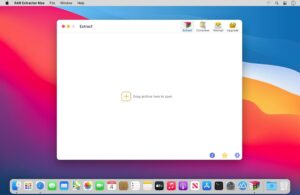
The app supports more than 60 archive types—including RAR, ZIP, 7Z, TAR, GZIP, ISO, JAR, PKG, APK, and MSI—and handles password-protected archives. Double-click an archive, drag it to the Dock icon, or batch-decompress several files at once, with optional extraction to the same folder as the source.
- Downloads: unpack RAR and 7Z files that macOS does not open natively.
- Office mail: preview and extract winmail.dat attachments from Microsoft Outlook.
- Power users: Quick Look files inside an archive before full extraction, or pull individual items from a large package.
Compression and privacy
You can create password-protected ZIP, 7Z, and RAR archives using AES-256 encryption according to the App Store listing. The app also extracts images from PDF files and supports multiple display windows for comparing archive contents.
RAR Extractor Max 13.7
Version 13.7 is distributed on the Mac App Store as RAR Extractor – Unzip File, requires macOS 11.5 or later on Intel and Apple Silicon Macs, and is free to download with optional VIP in-app purchases for expanded use.





Mount the image and launch Open Gatekeeper Friendly.
Press Enter to bypass Gatekeeper in the Terminal window.
Drag the app to the Applications folder.
The app is ready to use.
Compatibility
macOS 11.5 and later
Architecture
ARM, x86 (64-bit)
Note
Includes in-app purchases