

Quick notes on the edge of your Mac screen
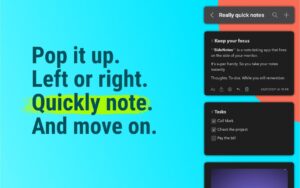
SideNotes is a native macOS notes app that slides in from the screen edge so you can capture tasks, links, and snippets without switching away from your current window.
How it fits daily work
Open SideNotes from the Open Bar, Hot Side cursor trigger, menu bar icon, or a keyboard shortcut. It stays on top in full-screen apps and Stage Manager, then hides again when you are done. Folders, note colors, pinning, and folding keep long note lists organized without cluttering the desktop like traditional sticky notes.
- Developers and designers: store code snippets, hex colors, and file shortcuts with drag-and-drop.
- Students and professionals: capture meeting notes and to-dos during lectures or calls.
- Power users: automate with Apple Shortcuts, AppleScript, and integrations such as Raycast and Alfred.
Writing and organization
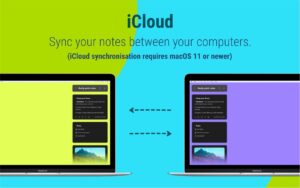
SideNotes supports hidden Markdown formatting, a quick formatting toolbar, checklists, images, and search across folders. iCloud sync keeps notes aligned across Macs when enabled, and automatic local backups add a safety net. Themes and fonts let you match the panel to your workspace.
Licensing and privacy
SideNotes sells as a one-time purchase for the 1.x line with a 30-day trial on the vendor site; SideNotes Mobile for iPhone and iPad is a separate app. The developer states notes stay on your device and private iCloud, with no app telemetry collected.
SideNotes 1.6.2
Version 1.6.2 requires macOS 13 or later on Intel and Apple Silicon Macs and improves code pasting, task-list behavior, line reordering, and drag-and-drop feedback, with fixes for note selection and Settings on older macOS versions.





Mount the image and launch Open Gatekeeper Friendly.
Press Enter to bypass Gatekeeper in the Terminal window.
Drag the application to the Applications folder.
The application is ready to use.
WARNING! SIP must be disabled. Learn more >
Compatibility
macOS 13 and later
Architecture
ARM, x86 (64-bit)