Batch audio conversion built for macOS
Pro Audio Converter is a native Mac app for converting large audio libraries between formats in one pass, with full control over encoding settings and metadata.
How batch conversion works
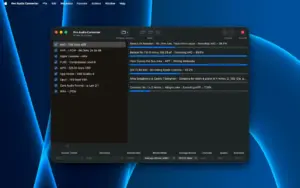
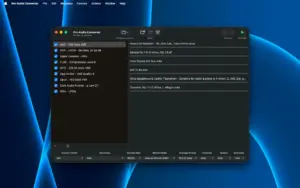
Drop files or folders into the queue, enable one or more output formats, and Pro Audio Converter encodes across CPU cores in parallel. A single batch can produce FLAC, MP3, AAC, Apple Lossless, WAV, Opus, and other targets at once—useful when you need lossless archives plus compressed copies for portable players.
- Music libraries: reorganize collections with metadata-based output paths such as artist, album, and track number.
- Podcast and post-production: convert stems or masters while preserving tags and artwork.
- Legacy archives: import headerless PCM, recovered Sound Designer II files, and mislabeled audio detected by content.
Metadata and encoding control
The built-in tag editor lets you change metadata without re-encoding, and conversion preserves extended tags including MusicBrainz IDs, ReplayGain, and sort-order fields mapped across formats. Settings for sample-rate conversion quality and bit-depth dithering help tune output for mastering or fast everyday jobs.
Music app integration
Converted files can export directly to the Apple Music library, with optional playlist creation from track metadata. Drag-and-drop to the Dock icon works even when the app is not running.
Pro Audio Converter 1.11.1
Version 1.11.1 requires macOS 11.0 or later, runs natively on Apple Silicon, and focuses on conversion reliability—clear errors for damaged files, safer overwrite behavior, and cleanup of interrupted jobs. Available on the Mac App Store for a one-time purchase; DRM-protected files are not supported.