Dropshare 6.13 for Mac

Dropshare
Name:Dropshare 6 6.13 [TNT].dmg.torrent (46.32MB)
Hash:4a72466f2f7c7b02ff5995ed1e1e027437f2d761
Review by:
Downloads 186
Rating
4.2 19 Click to rate
Checked
   Download Torrent Download Now

What Dropshare does on Mac

Dropshare is a menu bar app for macOS that uploads files, screenshots, and screen recordings to storage you control, then copies a share link to the clipboard.

Developed by Timo Josten, Dropshare targets Mac users who share assets daily with clients, teammates, or support channels. Instead of attaching large files to email or using a generic file host, you send content directly to S3-compatible buckets, SCP or SFTP servers, Dropbox, Google Drive, OneDrive, and dozens of other providers. Uploads go straight to the destination you pick; the app does not keep your files on a middleman server unless you choose Dropshare Cloud.

Core workflow on macOS

After setup, most sharing takes seconds:

  • Drag a file, folder, or text snippet onto the menu bar icon
  • Capture a screenshot or screen recording with a global shortcut
  • Annotate the capture in the built-in editor if needed
  • Receive a short or long URL in the clipboard for immediate paste into chat or email

Multiple connections let you route personal uploads to one bucket and client work to another. Hold Command while dropping to pick a destination, or assign separate keyboard shortcuts per connection.

What you can upload and capture

  • Files and folders from Finder or other apps via drag and drop or Share extension
  • Full-screen or selection screenshots with optional watermarking
  • Screen recordings at 24 or 60 fps, including window-targeted capture
  • Clipboard text and Safari content without saving a local file first
  • Markdown files rendered as HTML landing pages when configured

Security and link control

Dropshare supports password-protected links, automatic link expiry, and optional deletion of expired files from remote storage. Landing pages can brand downloads with custom HTML or preset designs. URL shorteners include the built-in dsh.re service or your own bit.ly or YOURLS instance.

Version 6.13

Version 6.13 focuses on the annotation editor and screen recording stability. New tools include a Highlight mode that dims the canvas outside a rectangular or circular focus area, curved arrows with per-end arrowhead styles, richer text formatting, and smarter snapping while drawing. Blur, pixelate, and magnify effects now stack correctly, and cropping preserves existing annotations. A fix addresses distorted audio on back-to-back screen recordings, and arrow editing on macOS versions before 26.0 is restored.

Requirements and licensing

Dropshare 6.x requires macOS 12.3 or later on Intel and Apple silicon Macs. The app sells for about $39 as a one-time purchase with a 7-day trial and free updates within the 6.x line; Setapp subscribers can install it through that subscription separately. Screen capture features need the standard macOS Screen Recording permission granted in System Settings.
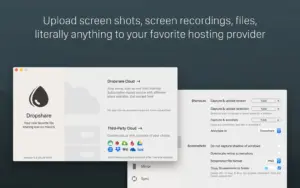
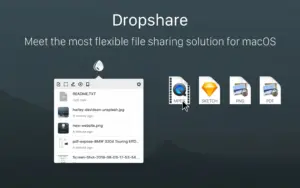
Dropshare 6.13 uploads files, screenshots Dropshare 6.13 for Mac — File Sharing & Screenshots

Pros & Cons Show details

✅ PROS

  • Dropshare uploads directly to your chosen storage provider, which keeps file routing under your control instead of forcing a proprietary hosting account.
  • Menu bar shortcuts for screenshots, recordings, and drag-and-drop uploads fit fast Mac workflows for support, design, and development teams.
  • Version 6.13 significantly upgrades the built-in annotation editor with highlight, curved arrows, snapping, and non-destructive cropping before upload.
  • Broad provider support covers S3-compatible services, SCP and SFTP, and major cloud drives, so one app can replace several single-purpose upload tools.
  • Password-protected links, automatic expiry, and bulk upload history management help you share files professionally without leaving sensitive links open indefinitely.

❌ CONS

  • Version 6.13 is an annotation and stability update; it does not add new storage providers or major upload pipeline changes.
  • The full app costs about $39 outside Setapp, and the iOS companion requires a separate purchase for cross-device parity.
  • Screen recording, annotation, and multi-monitor capture depend on macOS permissions that can break after OS upgrades until you reauthorize the app.
  • Advanced landing pages and per-connection rules take time to configure compared with simpler drag-and-drop hosts like WeTransfer or iCloud sharing links.
  • Some annotation fixes in 6.13 target macOS versions before 26.0, which suggests ongoing edge-case compatibility work on newer and older systems alike.
✅ What's New in 6.13 Show details
  1. [Highlight annotation tool] — Version 6.13 adds a Highlight mode that dims the canvas outside a rectangular or circular focus area, with an optional white outline for emphasis.
  2. [Curved arrows and per-end arrowheads] — Arrows can be bent via a middle handle, and start and end caps can be set independently to None, Open, or Filled styles.
  3. [Improved text styling] — Text annotations now support underline, vertical alignment, and an optional highlighter-style background color in the editor.
  4. [Snapping and effect stacking] — Annotations snap to other shapes, canvas edges, and center lines; blur, pixelate, and magnify layers now render the full stack beneath each effect.
  5. [Crop and screen recording fixes] — Cropping keeps existing annotations in place, consecutive screen recordings no longer produce distorted audio, and arrow editing works again on macOS versions before 26.0.

Older Versions

Version Publication date
Dropshare v6.13 Latest Current
Dropshare 6.11.0 (6221) v6.11.0.6221
Dropshare v6.11.0
Dropshare v6.10.0
Dropshare v6.9.2
Dropshare v6.9.1
Dropshare v6.7
Dropshare v6.6.1
Dropshare v6.6.0
Dropshare v6.5.0
Dropshare v6.4.0
Dropshare v6.3.0
Dropshare v6.2.0
Dropshare v6.1.0
Dropshare v6.0.4
Dropshare v6.0.1
Dropshare v5.59
Dropshare v5.58
Dropshare v5.57
Dropshare v5.54
Dropshare v5.53
Dropshare v5.52
Dropshare v5.51
Dropshare v5.50
Dropshare v5.49
Dropshare v5.47
Dropshare v5.46
Dropshare v5.44
Dropshare v5.43
Dropshare v5.39
Dropshare v5.38
Dropshare v5.36
Dropshare v5.34.1
Dropshare v5.33
Dropshare v5.32.1
Dropshare v5.31
Dropshare v5.30
Dropshare v5.29
Dropshare v5.28
Dropshare v5.27
Dropshare v5.26.2
Dropshare v5.26.1
Dropshare v5.24
Dropshare v5.23
Dropshare v5.22
Dropshare v5.21
Dropshare v5.20
Dropshare v5.19
Dropshare v5.17
Dropshare v5.16
Dropshare v5.15
Dropshare v5.12
Dropshare v5.11
Dropshare v5.10
Dropshare 5.9 (5200) v5.9.5200
Dropshare v5.8.4
Dropshare v5.8.3
Dropshare v5.8.2
Dropshare 5.8.1 (5178) v5.8.1.5178
Dropshare v5.8.1
Dropshare v5.8
Dropshare v5.7
Dropshare 5.6.3 (5148) v5.6.3.5148
Dropshare v5.6.3
Dropshare v5.4.3
Dropshare v5.4.2
Dropshare v5.4
Dropshare v5.2.0
Dropshare v4.5.5
Dropshare v4.5.4

Installation & Troubleshooting FAQ

8 questions

Common issues when installing macOS apps

Alternatives

Join the Conversation

Your email address will not be published. Required fields are marked *