
Typora 1.13.8 for Mac

Typora MAC
Name:Typora 1.13.8 [TNT].dmg.torrent (19.01MB)
Hash:7a5da4123b2f7cb1d5870472711fccdb1156fc06
Review by:
Downloads 144
Rating
4.5 19 Click to rate
Checked
   Download Torrent Download Now

What Typora is on Mac

Typora is a minimal Markdown editor for macOS that hides raw syntax while you type and shows formatted text in the same window, aimed at writers who want focus without toggling preview modes.

Unlike split-pane Markdown tools, Typora renders headings, lists, tables, code fences, LaTeX math, and Mermaid diagrams inline as you edit. The interface stays close to the document: themes control typography and spacing, and you can switch to source code mode when you need raw Markdown. Export paths include PDF, HTML, Word, and plain text, which suits notes, technical docs, blog drafts, and academic writing on Mac.

Typical Mac workflow

Open or create a .md file, write in the hybrid editor, and use the outline sidebar for long documents. Paste from ChatGPT or other tools with improved math compatibility from recent releases, embed diagrams with Mermaid, and export to PDF for sharing. macOS integrations include Quick Look, opening from Terminal, and the optional Open in Typora extension for VS Code and Cursor when you prefer Typora for final editing.

Version 1.13.8 and the 1.13 line

Version 1.13.8 is a small patch in the 1.13 series. Official release notes list one macOS fix: HTML and PDF export now work correctly when documents contain special math code. Earlier 1.13.x builds added MathJax v4, Mermaid 11.13.0 with new diagram types, settings reload without a full restart, and several export and parsing fixes on recent macOS versions. If you upgrade from 1.13.6 or older, you also inherit fixes for image height attributes, file extension renaming, and external file change detection from 1.13.7.

Licensing and requirements

Typora is sold directly from the vendor at about $14.99 as a one-time license for up to three devices, with a 15-day evaluation period before purchase. It is not on the Mac App Store. The latest Typora builds target macOS 11.0 or later according to Typora support; Apple silicon Macs run a native universal build. Older macOS versions may require a legacy Typora release listed on the vendor support site.
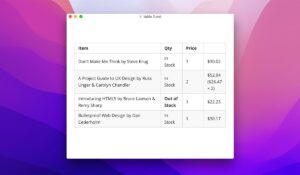
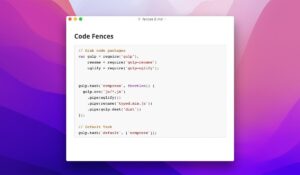
Typora 1.13.8 for Mac — Minimal Markdown Editor  Typora 1.13.8 is a distraction-free Markdown editor for Mac

Pros & Cons Show details

✅ PROS

  • Typora’s single-pane live preview removes the edit-or-preview split common in other Markdown apps, which helps Mac users stay focused on writing.
  • Built-in MathJax and Mermaid support covers technical notes, STEM documents, and flowcharts without leaving the editor.
  • Version 1.13.x upgraded to MathJax v4 and Mermaid 11.13.0, adding newer diagram types and improved math rendering for complex documents.
  • Native Apple silicon support and macOS integrations such as Quick Look and Terminal launch fit typical Mac desktop workflows.
  • A one-time license with up to three activations avoids subscription fees compared with many cloud-first writing tools.

❌ CONS

  • Version 1.13.8 only documents one macOS export fix, so it is a maintenance patch rather than a feature-heavy release.
  • Typora requires a paid license after the 15-day trial and is not available on the Mac App Store, which limits centralized updates and purchase convenience.
  • The license covers at most three devices per user, which can be restrictive if you use more Macs, PCs, and Linux machines regularly.
  • Latest builds require macOS 11.0 or later, leaving older Macs on legacy Typora versions with reduced support.
  • Typora lacks the plugin ecosystem and sync features of rivals like Obsidian or VS Code, which some Mac writers prefer for long-term knowledge bases.
✅ What's New in 1.13.8 Show details
  1. [HTML and PDF export on macOS] — Version 1.13.8 fixes export and print when documents contain special math code, restoring reliable PDF and HTML output for LaTeX-heavy notes.
  2. [Special math code handling] — The patch targets edge cases in math rendering during export, which previously could break HTML or PDF generation on Mac.
  3. [Patch release scope] — Typora’s public changelog for 1.13.8 contains only this export fix, so 1.13.8 is a targeted stability update rather than a feature release.
  4. [1.13.7 fixes included when upgrading] — Updating to 1.13.8 also carries 1.13.7 fixes for image custom height attributes, file extension renaming reverting to .md, and external file live-update failures on macOS.
  5. [1.13.2 platform baseline retained] — The wider 1.13 series still includes MathJax v4, Mermaid 11.13.0, Open in Typora for VS Code and Cursor, and settings reload without a full app restart.

Older Versions

Version Publication date
Typora v1.13.8 Latest Current
Typora v1.13.6
Typora v1.12.6
Typora v1.12.5
Typora v1.12.4
Typora v1.12.3
Typora v1.12.2
Typora v1.12.1
Typora v1.11.7
Typora v1.11.4
Typora v1.10.9
Typora v1.10.8
Typora v1.10.6
Typora v1.8.9
Typora v1.8.4
Typora v1.7.6
Typora v1.7.5
Typora v1.7.4
Typora v1.7.3
Typora v1.5.13
Typora v1.5.12
Typora v1.5.11
Typora v1.5.9
Typora v1.5.8
Typora v1.5.6
Typora v1.5.5
Typora v1.4.8
Typora v1.4.4
Typora v1.4.2
Typora v1.3.7
Typora v1.3.6
Typora v1.2.3
Typora v1.1.5
Typora v1.1.4
Typora v1.1.3
Typora v1.0.3
Typora v1.0.2

Installation & Troubleshooting FAQ

8 questions

Common issues when installing macOS apps

Alternatives

Important

Compatibility
macOS 10.13.6 and later

Architecture
ARM, x86 (64-bit)

Join the Conversation

Your email address will not be published. Required fields are marked *