
UPDF 2 – AI-Powered PDF Editor 2.5.4 for Mac

UPDF 2 - AI-Powered PDF Editor
Name:UPDF 2.5.4 [EDiSO].dmg.torrent (129.72MB)
Hash:e226aa95ad9b850b513717e17bab1283c6be5438
Review by:
Downloads 200
Rating
4.4 19 Click to rate
Checked
   Download Torrent Download Now

What UPDF does on Mac

UPDF is an all-in-one AI-powered PDF editor for Mac that lets you read, edit, annotate, convert, sign, organize, and protect PDFs while chatting with documents to summarize, translate, or extract answers.

Developed by Superace Software Technology, UPDF 2 targets users who want Acrobat-class editing and conversion at a lower price point, plus built-in AI. On Mac you can change text and images in PDFs, highlight and comment, batch convert to Word, Excel, PowerPoint, or images, redact sensitive data, create forms, compare files, and sync work through UPDF Cloud. Version 2.5 adds an ecosystem of AI agents such as UPDF Copilot, semantic search, auto-bookmarking, AI editing, and creative tools for stamps, backgrounds, and watermarks.

Typical Mac workflow

After installing from updf.com or the Mac App Store, you open a PDF, review or edit content, and use the AI panel to summarize chapters or translate sections. For exports you convert to Office formats or compress files for email. Batch tools handle merge, watermark, encrypt, and multi-file conversion from the home Tools screen. One license can cover macOS, iOS, iPadOS, Windows, and Android through a shared account.

Version 2.5.4 notes

Build 2.5.4 is documented in Superace’s June 8, 2026 Windows release announcement; a separate Mac-only changelog was not published at the time of writing. Documented 2.5.4 improvements include top-toolbar show and hide controls, flexible OCR detection settings for scanned PDFs, better PDF-to-Office and image conversion output, and general stability fixes. The Mac App Store listing remained on 2.5.3 with toolbar auto-show, compression tuning, and a permission-protected document display fix.

Licensing and requirements

UPDF is free to try with watermarks on saves, two daily conversions, and limited AI usage. Pro and AI tiers require in-app or website purchase (subscriptions or perpetual licenses). macOS 11.0 or later is required. OCR is available only in the website build on Apple Silicon Macs; the Mac App Store version and Intel Mac website builds do not include OCR according to the vendor FAQ.
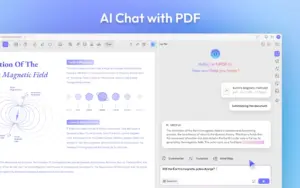
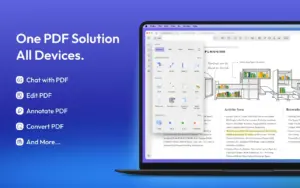
UPDF 2.5.4 edits, converts, and annotates PDFs UPDF 2.5.4 for Mac — AI PDF Editor & Converter

Pros & Cons Show details

✅ PROS

  • UPDF combines PDF editing, conversion, annotation, forms, redaction, and batch tools in one app instead of juggling separate utilities.
  • Version 2.5 adds multiple AI agents for semantic search, auto-bookmarks, copilot commands, and in-document rewriting beyond basic chat summaries.
  • One account can unlock the app across Mac, iOS, Windows, and Android, which suits mixed-device workflows.
  • The website Mac build on Apple Silicon includes OCR for 38 languages, which the Mac App Store build currently lacks.
  • Version 2.5.4 documents improved PDF conversion fidelity and flexible OCR detection controls for scanned documents on supported builds.

❌ CONS

  • Full features require paid Pro and often separate AI subscriptions; the free tier adds watermarks and tight daily conversion limits.
  • Mac App Store builds omit OCR and may lag the website version, which the developer says receives faster updates.
  • OCR is not available on Intel Macs even from the official website, only on Apple Silicon per Superace documentation.
  • Public release notes for Mac build 2.5.4 were not published separately; most verified 2.5.4 details come from the Windows announcement.
  • AI features send document content to cloud models, which may be unsuitable for confidential contracts or regulated data without a clear on-device policy review.
✅ What's New in 2.5.4 Show details
  1. [Build note] — Superace published detailed 2.5.4 notes for Windows (June 8, 2026); Mac App Store still listed 2.5.3, so Mac 2.5.4 changes are inferred from the cross-platform announcement unless you use the direct website build.
  2. [Top toolbar toggle] — You can show or hide the top toolbar to maximize reading space or expose editing tools on demand.
  3. [OCR detection settings] — New controls let you manage OCR detection on and off when opening scanned or image-based PDFs more flexibly.
  4. [Conversion output improvements] — PDF exports to Word, Excel, PowerPoint, and image formats produce more usable layout and text according to the vendor.
  5. [Stability fixes] — The 2.5.4 line includes unspecified bug fixes aimed at overall reliability beyond the feature changes above.
  6. [Mac App Store 2.5.3 baseline] — Until 2.5.4 reaches the store, the latest verified Mac App Store notes add toolbar hide and auto-show, optimized compression, and a fix for permission-protected document display issues.

Older Versions

Version Publication date
UPDF 2 - AI-Powered PDF Editor v2.5.4 Latest Current
UPDF 2 - AI-Powered PDF Editor v2.5.3
UPDF 2 - AI-Powered PDF Editor UPDF v2.1.2

Installation & Troubleshooting FAQ

8 questions

Common issues when installing macOS apps

Alternatives

Join the Conversation

Your email address will not be published. Required fields are marked *