
CleanShot X 4.8.8 for Mac
CleanShot X is a macOS screen capture suite that combines screenshots, scrolling capture, screen recording, annotation, OCR text recognition, pinning, and quick sharing into one workflow-focused app.
What CleanShot X does
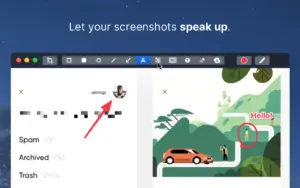
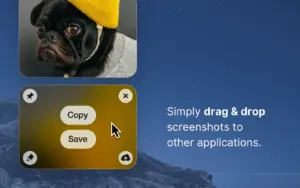
Instead of using separate tools for screenshots, markups, GIF/video recording, and upload links, CleanShot X unifies these steps with a Quick Access overlay. You can capture full screen, area, window, or scrollable content, then immediately copy, save, drag, annotate, blur sensitive details, or upload via CleanShot Cloud.
The app also includes practical extras for daily work: hiding desktop icons before capture, adding custom backgrounds, pinning screenshots above windows, and on-device OCR for extracting text from images. Screen recording supports microphone and system audio, webcam overlays, click/keystroke highlighting, and basic trimming.
Who it is for
CleanShot X is aimed at product teams, support, QA, designers, developers, educators, and remote workers who create visual documentation frequently and need faster post-capture steps than default macOS tools provide.
Version 4.8.8
Version 4.8.8 is a maintenance update focused on bug fixes and UX polish. Official notes confirm fixes for microphone recording with some audio interfaces (for example Focusrite left-channel-only capture), window screenshot corner rendering, focus behavior in the “Ask for Name after every capture” dialog, and emoji rendering in Annotate.
If your internal label says “fixed 2”, note that this exact suffix is not listed on the official changelog page; the public vendor version name is 4.8.8.
Licensing and requirements
CleanShot requires macOS 10.15 or newer. The vendor does not provide a free trial, but offers a 30-day money-back guarantee; Setapp availability may provide a separate trial path. CleanShot Cloud account is optional for using the core app and only required for cloud uploads/features.



Thanks CleanShot 4.8.8 fixed 2 for Mac, working ok.
Wonder what means “fixed 2” ?
It is still a bit cumbersome to run the app, it always says allow permission for screen recording in the system preferences, but it is enabled there.
You have to delete it out of the list and re-add it there then it starts to work, finally it works, very nice.
Run the downloaded image and drag the app to your program folder shortcuts.
Once the copy is complete, you can launch the app from Launchpad.