
Presentify 8.0.6 for Mac
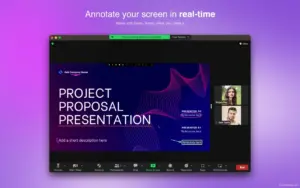
Presentify is a native macOS menu bar app for screen annotation during presentations, demos, and video tutorials—draw on any screen and keep your audience focused on what matters.
Version 8.0.6 is a maintenance update with a fix for the tool indicator behavior in Settings.
What Presentify does
Screen annotation
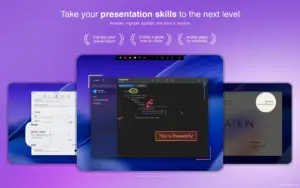
- Draw over any app—Zoom, Google Meet, Keynote, PowerPoint, PDFs, code, and more
- Pens, highlighters, arrows, shapes, text, gradients, and auto-erase timers
- Multi-monitor support for annotation across displays
Cursor tools
- Cursor Highlight — ring, squircle, or rhombus around the pointer with click animations
- Spotlight — dim the screen and focus attention on one area
- Zoom — magnify details that follow your cursor
Whiteboard & input
- Draw on a customizable whiteboard (or colored board) instead of over other apps
- iPad via Sidecar, Astropad, or Duet; drawing tablets such as Wacom and XP-Pen
- Keyboard shortcuts and Stream Deck-friendly workflow; draggable control panel
What’s new in v8.0.6
- Fixes an issue where the tool indicator was shown all the time when enabled in Settings
Requirements & licensing
System
- Version: 8.0.6
- macOS: 13.0 or later
- Size: ~1 MB download; lightweight native app
License
- Available on the Mac App Store, Setapp, and direct purchase via Polar
- One-time purchase or subscription depending on channel
Official: Presentify





Run the downloaded image and drag the application to the Applications folder shortcut.
After copying is complete, you can launch the application from Launchpad.
When you first launch the application, close it using Activity Monitor and then reopen it.
Remember: App Is Damaged and Disk Image Corrupted