
Noir – Dark Mode for Safari 2026.1.4 [MAS]
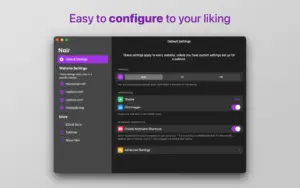
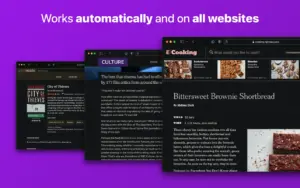
Noir by Jeffrey Kuiken is a Safari extension for Mac that automatically applies a tailored dark mode to websites—custom styles per page, preserved contrast, and no manual toggle on every load.
Build 2026.1.4 focuses on website compatibility and smarter detection of sites that already ship a built-in dark theme.
What’s new in 2026.1.4
- New website fixes and improvements across the board
- Improved built-in dark mode detection (fewer false positives where a site claims dark mode but doesn’t deliver)
- Community website reports continue to drive updates (per developer release notes)
Key features
- Automatic per-site dark styles generated from each page’s colors
- 20+ built-in themes plus custom themes
- Per-website on/off; default ties to system Dark Mode (Auto)
- iCloud sync for settings across devices
- Integrates with Shortcuts, Focus Filters, and Widgets
- Noir for Web Apps extension on macOS 15+ for Safari “Add to Dock” web apps
- No browsing data collection; one-time purchase, no subscription or ads
Requirements & licensing [MAS]
- Version: 2026.1.4
- Distribution: Mac App Store
- macOS: 12.0 or later
- Price: one-time purchase (listed at $3.99 on the U.S. store)
- Family Sharing: supported
Official: getnoir.app · Mac App Store



Mount the image and launch Open Gatekeeper Friendly.
Press Enter to bypass Gatekeeper in the Terminal window.
Drag the application to the Applications folder.
The application is ready to use.
Architecture
ARM, x86 (64-bit)