

4K Wallpaper – HD Wallpapers v2.9 [MAS] for Mac
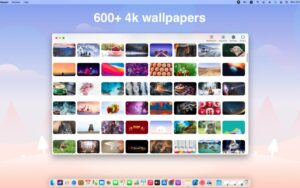
4K Wallpaper – HD Wallpapers is a Mac App Store utility that ships a curated library of 600+ HD, QHD, and 4K desktop backgrounds—covering styles such as landscapes, anime, and minimal looks—with one-click “Set as wallpaper” and optional drag-and-drop for your own photos.
The [MAS] label means distribution through Apple’s store (sandboxed install, standard updates, and in-app purchase flow).
What’s new in v2.9
Per the App Store “What’s New” entry (Apr 27):
- Faster wallpaper loading
- Fix for incorrect display in the favorites window
- Ability to delete favorite wallpapers
Main features (store listing)
Ad-free core pitch: marketed as a 100% ad-free experience.
Auto rotation: Auto wallpaper changer with a configurable timer range (listed from 1 minute up to 1 year).
Library memory: “smart library” behavior that saves backgrounds you’ve applied for quick recall.
Login startup: option to start with macOS so the desktop stays refreshed automatically.
VIP: optional Upgrade to VIP in-app purchase (price shown on the store in your region; US listing shows $3.99 at time of capture).
Technical snapshot
- Version: 2.9
- Channel: Mac App Store (MAS)
- Requires: macOS 11.1 or later
- Size: ~201.5 MB
- Languages: English, Simplified Chinese
- Category: Utilities
Developer privacy summary on the store indicates no data collected from the app—verify the linked privacy policy before publishing compliance-sensitive claims.






Or you can install the app, then right-click on it and select “Open.” I do that with all TNT apps to bypass Gatekeeper. That only needs to be done once – before opening the app the first time.
Mount the image and launch Open Gatekeeper Friendly.
Press Enter to bypass Gatekeeper in the Terminal window.
Drag the application to the Applications folder.
The application is ready to use.
x86 (64-bit)