
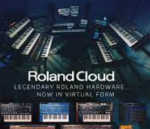
Roland Cloud Legendary Series v2021.12
Recreaciones auténticas de los LEGENDARIOS sintetizadores analógicos y digitales de Roland.
D-50
Software Synthesizer
Uno de los sintetizadores más reconocidos del mundo, ahora para tu DAW.
JD-800
Software Synthesizer
Recreación auténtica del sintetizador Roland JD-800 en un instrumento de software moderno.
JUNO-60
Software Synthesizer
Recreación detallada del sintetizador JUNO-60 en un instrumento plug-in moderno.
JX-3P
Software Synthesizer
El sintetizador de software JX-3P ofrece una replicación cristalina a nivel de componente ACB (Analog Circuit Behavior) del sonido característico del original. Recorre toda la gama desde sonidos clásicos de cuerdas hasta pads metálicos aplastantes: esta recreación polifónica de seis voces lo tiene todo.
PROMARS
Software Synthesizer
El Software Synthesizer PROMARS es una reproducción completa del raro y potente sintetizador PROMARS lanzado por primera vez en 1979.
SH-101
Software Synthesizer
El Software Synthesizer SH-101 es una reproducción completa del icónico sintetizador SH-101.
JUNO-106
Software Synthesizer
Réplica de software idéntica del icónico sintetizador Roland JUNO-106.
SYSTEM-100
Software Synthesizer
Recreación moderna del legendario SYSTEM-100.
TB-303
Software Bass Line
Utilizando el modelado ACB (Analog Circuit Behavior), el TB-303 de Roland Cloud añade una gran cantidad de nuevas funciones al instrumento icónico.
JUPITER-8
Software Synthesizer
Recreación “ACB” perfecta del legendario sintetizador original Roland JUPITER-8.
JV-1080
Software Synthesizer
Uno de los sintetizadores más populares de la historia regresa, ahora más potente que nunca.
TR-606
Software Rhythm Composer
Una máquina de ritmos clásica underground regresa como un plug-in moderno para tu DAW.
TR-707
Software Rhythm Composer
Instrumento de software TR-707 auténtico con capacidades modernas de modelado de sonido y secuenciación.
TR-727
Software Rhythm Composer
Instrumento de software TR-727 auténtico con capacidades modernas de modelado de sonido y secuenciación.
TR-808
Software Rhythm Composer
El boom, snap y sizzle de la máquina de ritmos más famosa de la historia, ahora en tu DAW.
TR-909
Software Rhythm Composer
La única adaptación de software fiel y auténtica del legendario TR-909 Rhythm Composer.
XV-5080
Software Synthesizer
El patriarca de los sintetizadores PCM abre puertas a territorios familiares e inexplorados.
SH-2
Software Synthesizer
El Software Synthesizer SH-2 es una reproducción total del clásico sintetizador SH-2 de 1979.
SOUND CANVAS VA
Software Synthesizer
El legendario SOUND CANVAS renace como un Plug-in para DAW.
Agradece a Vir Cotto y Psyevil por el suministro.
Este paquete también incluye el JD-800 y el JUNO-60 que improvisé.
Página de inicio https://www.rolandcloud.com/catalog/legendary
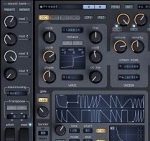

Sorry. My mistake, but there’s no need to create a folder called Roland at Components (AU) folder. DAW may not recognize.
Here we have a solution:
After install create a folder called Roland and move al the components there. In Logic Pro go to plug-in manager, select and check-box one of the serie (not all at the same time) that have crashed validation and than click “Reset & Rescan Selection”. Do this for each one that crashed. One by one. Restart Logic and now you have all “successfully validated”.
In Studio One works with no tricks. Just install and use.
Anyone having a permission denied message for the terminal:
1. Paste: “chmod 755” into the terminal and drag you command in. Press Enter and put in your password if needed.
2. Afterwards the read, write and execute rights are reset and you can run the command as normal. Just drag and drop it in the terminal as described and press enter.
Hope it helps!
Forgot to mention I am on a M1 Pro running Ventura 13.6.4 and using Rosetta on Logic Pro and Reaper macOS 10.5-10.14
Also working on Ableton 12 using Rosetta
Hi everyone,
For all those who are having issues with .command files, you just need to open your terminal,
navigate to the folder where the Roland Cloud patch scripts are by using cd “folder where the Roland Cloud patch scripts are”,
and then run sudo chmod +x *.
That’s it!
Have a great day and enjoy your music.
can someone share all prestes for JD-800 ? because mine is missing all presets
Su logic non riesco a farli funzionare..
JD-800 is missing presets . Is there a way to manually install all the presets ?
Anyone got it to work on M1 native ?
Yes ,it works . Only issues some have distortion issues . But they all launch inside the DAW .
What is your problem ?
You need to create a folder in VST3 called “Roland” and paste these VST3 files into it (/Library/Audio/Plug-Ins/VST3/Roland), paste the VSTs into the VST folder, paste the componements into the Componements folder.
*Drag and drop each command into the terminal, validate by entry.
* Use Audio Units in Ableton Plug-ins preferences.
* Roland VSTs are found in Plug-ins/Audio Units/Roland Cloud, not in VST3.
MacBook Air M1 Ventura.
You need to create a folder in VST3 called “Roland”,
and paste these VST3 files into it (/Library/Audio/Plug-Ins/VST3/Roland), paste the VSTs into the VST folder, paste the componements into the Componements folder.
*Drag and drop each command into the terminal, validate by entry.
* Use Audio Units in Ableton Plug-ins preferences.
* Roland VSTs are found in Plug-ins/Audio Units/Roland Cloud, not in VST3.
MacBook Air M1 Ventura.
Anyone experience ableton crash right when you open any of these plugins? Please help me out. I’m on M2 mac. Also are you guys using the audio components or the vst 2 and vst3 ones
..just installed on latest monterey 12.7 intel hackintosh…everything works..vst3 and au!!! thank you so much!!!
Everyone with password problems:
After the lock icon shows up in terminal, press enter, then type your own session password.
That is it.
Everyone:
There is no password.
Hit space after the lock shows up on the terminal. Then type your own session password and enter.
That’s it.
Hi my plugins keep crashing, Anyone have solutions to this. They never opened at all.
I got this to work on Apple Silicon (M2 Max) running macOS Ventura. I extracted the archive with PeaZip, and placed the VST3 files inside a folder called ‘Roland’ which was moved to /Library/Audio/Plug-Ins/VST3/. Then I opened the script folder and opened my Terminal. One by one, I used ‘sudo chmod 755’ and dragged each script in my terminal one at a time. Then I opened Ableton and they all loaded. However, it seems like the polyphonic analogue models (Jupiter-8, Juno-106, Juno-60, and JX-3P) are all no good. They have sonic artifacts that make them essentially useless, almost sounds like something that a demo version would include. Luckily for me, I was only after the monophonic ones (SH-101, SH-2, Pro-Mars, and System-100) and the digital polys (D-50 and JD-800)… all of those seem to work perfectly. The drum machines also work. Hope this helps somebody.
hi, my terminal keeps saying permission denied on m2 max ventura, is there any solution?
Everything on Mac M1, test on mac M1.
While most plugins work seamlessly, some like Juno-60, Juno-106, JUPITER-8, and JX-3P may experience distortion due to CPU overload. To address this, follow these steps:
Go to your sound card settings within your DAW.
Increase the buffer size to 1024.
Keep in mind that adjusting the buffer size introduces additional delay (up to 20ms), but it’s generally manageable and often goes unnoticed. Apply this workaround when using the mentioned plugins to enjoy distortion-free audio.
files successfully patched but plugins couldnt open.. The VST’s are missing also in the folder except for sound canva