
DaVinci Resolve Studio 21.0 para Mac
DaVinci Resolve Studio es la aplicación de postproducción todo en uno de pago de Blackmagic Design para Mac: líneas de tiempo de Cut y Edit, VFX de Fusion, gradación de Color, audio Fairlight y Deliver—además en la versión 21 una página Photo dedicada para el acabado de imágenes fijas con el mismo conjunto de herramientas de gradación basada en nodos.
Un proyecto desde el ensamblaje hasta el máster
Resolve está construido alrededor de páginas en lugar de aplicaciones separadas. Ensamblas en Cut o Edit, gradúas en Color, compones en Fusion, mezclas en Fairlight y exportas desde Deliver sin round-tripping de XML o intermedios renderizados. Blackmagic Cloud y proyectos multi-usuario permiten a los equipos compartir bins, gradaciones y líneas de tiempo cuando una instalación ejecuta flujos de trabajo colaborativos.
Lo que Studio agrega en Apple Silicon
La edición gratuita de Resolve cubre un amplio camino de edición y gradación, pero Studio desbloquea el DaVinci Neural Engine, reducción avanzada de ruido, Resolve FX adicionales, herramientas estereoscópicas, audio inmersivo y funciones de IA como IntelliSearch y CineFocus. Blackmagic documenta soporte nativo en Mac de la serie M de Apple; los requisitos publicados de macOS para la versión 21 requieren macOS 15 Sequoia o posterior en Apple Silicon, con un mínimo de 8 GB de RAM o 16 GB cuando se usa Fusion intensivamente. El análisis de IA, Fusion y RAW de alta resolución se benefician de 32 GB de memoria unificada en proyectos reales.
Página Photo e imágenes fijas en la misma gradación
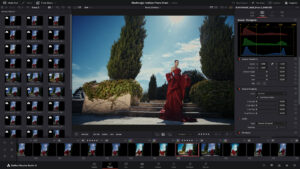
La versión 21 agrega una página Photo para que fotógrafos y coloristas puedan gestionar álbumes, conectar cámaras Canon y Sony compatibles en macOS y graduar imágenes fijas con herramientas de Color basadas en nodos, LUTs y Resolve FX. Los álbumes fluyen hacia Cut, Edit, Color y Fusion—útil para videógrafos híbridos que entregan tanto movimiento como imágenes fijas de una misma sesión.
Versión 21.0 y licencias
Studio es una compra única (actualmente listada en $295) sin suscripción. Blackmagic señala que las bibliotecas de proyectos siguen siendo compatibles con Resolve 20.3.2, pero cualquier proyecto abierto en la versión 21 no se puede reabrir en la 20.3.2—haz copias de seguridad de las bibliotecas antes de actualizar. La versión 21.0 es la versión final después del ciclo de beta pública; descárgala desde el sitio de Blackmagic, no desde la Mac App Store.






Ok the project not rendering issue can be fixed by turning off background rendering.
Project not loading with cinefocus effect applied also has a work around Launch DaVinci Resolve and open a blank, brand-new project.Go to the Edit Page or Color Page.Click the Bypass Color Profiles and Fusion Effects button. (It looks like a small colorful circle icon located at the top right of the viewer panel). When deactivated, it turns grey.Without closing Resolve, go to the top menu and select File > Open Project (or use the Project Manager).Open your crashed project. It should now load because the heavy AI effect is blocked from rendering.
there are many issues … I installed the new version downloaded from blackmagic and applied the Option #2 – script Script Patch without file replacement. the program installs fine. but there are issue loading projects specially if you have applied the new focus blur effects also when you try to export it doesnt do anything. either its the fault of the patch it self or this release of resolve is not fully baked yet.
Bonjour. Où se trouve le patch de DVR?
Merci.
Possible to make a small video to show us noobies hehe? it makes it much easier:) Thank you
Can’t edit effects on Color Page. “Settings” remains grayed out after adding the FX to the node.
Same here. Panel Effect doesn’t display correctly on MacBook Pro M1 Pro. And when you select a Node, the blue highlight for the selected node doesn’t show.
I too have a settings issue on the color page, a work around (not ideal) add your fx to the node, then add another serial node (minimum of two nodes) If I want to adjust the settings on one node (greyed out) I click on the other node then back onto the one I want to adjust and the settings are there, sometimes you make an adjustment and then it changes so you have to do the same again. not ideal.
I have two versions on my Macbook o sometimes it just easier to open in the previous version (which works) but we all want the latest,
when is the official 21 coming on here ?
It looks like this Beta 4 works. Although I entered the command in Terminal and macOS asked for my password, DaVinci was still asking for a serial number when I launched it. However, it eventually worked after I performed a clean installation of Beta 4 from the link, then downloaded the patch and installed it normally.
Thanks to the uploader. I’ll come back with more feedback.
hello can you please help me download it sounds too complicated
download davinci v21 studio from blackmagic site, mount image, install, do not open.
download patch from here (the one without replacing files), mount image, open, enter settings go to privacy&secirity click open anyway, then install patch, wait for process to finish
done, enjoy
❤️
Feel free to help me with the proccess as i am newbie..I need the original model with AI and all..Doest matter the model if its the 21 or 20..Just need the cracked model and need guidance…Thank you
I wonder how the new features in this beta version compare to previous ones. Always interested in what updates are worth checking out.
Lot of problems with effects, davinci stop working.
Going back to Beta 3.
Can we get a new version soon please? Trouble clicking nodes again, this is less usable than the last beta version.
Effect’s settings not working…
Anybody facing same issue ??
Same here !
Same on Sequoia
Me pasa igual no funciona
same problem
where should i find script
Weird on Sequoia 15.7.7 : in Colors, the effects settings panel appears and disappears immediately. No problem with the beta version.
I used terminal and Grant Terminal Full Disk Access but nothing happens, terminal close after enter the scrip help please
after install davinci, hit patch nr 2, then go to system settings/privacy&security and at the bottom you will find “open anyway”. the patch I mean. hit it and terminal should appear. enter your mac password, if any, then wait to finish the process
Thank you uploader. Seems to be beta 4 (Build 47).
Also it says that update 21 studio is available, therefore must be beta 4.
Installation:
1.mount image
2. install davinci
3. install patch (option 2-without replacing files)
I tried for 2 times for complete the process, first time patch was not installed. So, if it asks for serial number, quit davinci, grant terminal full disk acces and try again to patch 2 until it works. In terminal you will be asked for password, it’s your Mac password. Type it and hit Return. Wait for patch to install and it’s done.
Enjoy.
Thank you so much, it works fine, and indeed… apparently seems to be build 47 when you ask for about DaVinci.
Important: Grant Terminal Full Disk Access before you continue.
How I installed it: Script patch installation — Option 2: script patch without replacing files.
Compatibility
macOS 14.5 and later
Architecture
ARM, x86 (64-bit)