KORG Filter Ark 1.0.4 for Mac

KORG Software Filter Ark
Name: KORG Filter Ark v1.0.4 macOS MORiA.dmg.torrent (135.17MB)
Version: 1.0.4
Operating System: macOS
Program license: Free
Developer: KORG
Interface language: English
Review by:
Downloads 121
Rating
4.8 22 Click to rate
Checked
   Download Torrent Download Now

KORG Filter Ark

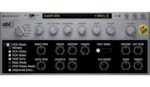
A filter-design plugin and standalone instrument from KORG that chains up to four modeled classic and modern filters with flexible routing, deep modulation, and optional self-oscillation for creative sound design on Mac.

Workflow in a Mac DAW

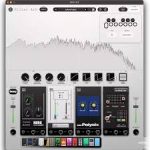
Load Filter Ark as an AU, VST3, or AAX effect—or run the standalone app with its built-in noise oscillator when you want to design tones without an external source. Drag filters from the list into four slots, then wire them in series, parallel, feedback, or other templates. Modeled classics include MS-20, Polysix, miniKORG 700s, and ARP ODYSSEY circuits; modern types add resonators, vowel/formant filters, an IR loader, and Spectrum Tracer, which overlays a sample’s spectral fingerprint onto incoming audio.

Modulation comes from morphable LFOs, an envelope follower with sidechain input, a step sequencer, and random sources, assignable through macro controls and presets. For quick results, category presets expose single-knob macros; for deeper work, the Modulation Edit page shapes each source in detail.

Requirements and licensing

KORG distributes Filter Ark through KORG Software Pass and a KORG ID account. macOS 12 Monterey or later is required; Apple Silicon and Intel Macs are supported with 8 GB RAM minimum (16 GB recommended) and about 2 GB free disk for the product itself. A free demo runs 20 minutes per session without save. Standalone purchase is about $99; the plugin is also included in KORG Collection 6, with upgrade paths for existing Collection owners via KORG ID.

Version 1.0.4

Build 1.0.4 is a maintenance update in the launch window after Filter Ark’s January 2026 debut. KORG’s release notes list manual-link access from the app menu, fixes for example files in IR and Spectrum Tracer playback, smoother envelope and random waveforms in Modulation Edit, improved Filter List sorting, and general stability optimizations—no new filter types in this patch.
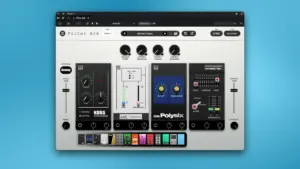
KORG Filter Ark 1.0.4 for Mac — Filter Plugin

Pros & Cons Show details

✅ PROS

  • Up to four simultaneous filters with series, parallel, and feedback routing go well beyond a single-band EQ or basic filter plugin on Mac.
  • Faithful MS-20, Polysix, miniKORG, and ARP ODYSSEY models plus modern resonator and vowel filters cover both vintage tone and experimental design.
  • Built-in LFO, envelope follower, step sequencer, and random modulation reduce the need for extra LFO plugins in Logic, Live, or other hosts.
  • Standalone mode with noise oscillator and Spectrum Tracer lets you sculpt textures even when no instrument track is loaded.
  • Included in KORG Collection 6, so existing bundle owners receive Filter Ark through KORG Software Pass updates.

❌ CONS

  • Standalone pricing around $99 is steep if you only need a simple high-pass or low-pass for occasional mix cleanup.
  • KORG ID, Software Pass, and internet activation add friction compared with fully offline perpetual plugins.
  • CPU load can rise with four stacked filters and multiple modulators; buffer size may need raising on older Intel Macs.
  • Demo sessions cap at 20 minutes with saving disabled, which limits serious preset-building before purchase.
  • Version 1.0.4 is a bug-fix release only; users expecting new filter models or features must wait for a later update.
✅ What's New in 1.0.4 Show details
  1. [Manual menu link] — User manual can now be opened directly from the application menu.
  2. [IR sample playback] — Fixed example files loaded into IR not playing correctly.
  3. [Spectrum Tracer samples] — Fixed example files loaded into Spectrum Tracer not playing correctly.
  4. [Modulation waveforms] — Fixed choppy envelope and random waveforms in the Modulation Edit screen.
  5. [Filter List sorting] — Improved the sort order of filters in the Filter List.
  6. [Stability] — Various optimizations for overall stability (maintenance release, no new filter types).

Installation & Troubleshooting FAQ

8 questions

Common issues when installing macOS apps

Alternatives

Join the Conversation

Your email address will not be published. Required fields are marked *