
PhotoSweeper 5.5.4 for Mac

PhotoSweeper X
Name:PhotoSweeper X 5.5.4 [TNT].dmg.torrent (56MB)
Hash:a3975e99e95466eda2d82a4ace3ef3d76b9703df
Review by:
Downloads 197
Rating
4.3 23 Click to rate
Checked
   Download Torrent Download Now

PhotoSweeper

A native Mac duplicate-photo cleaner that scans Apple Photos, Lightroom Classic, Capture One, folders, and external drives—grouping exact copies and visually similar shots so you can reclaim disk space without blind bulk deletes.

PhotoSweeper from the Overmacs team targets photographers and everyday Mac users whose libraries balloon with burst series, edited variants, RAW+JPEG pairs, and forgotten imports. The comparison engine analyzes image content, not just filenames, with adjustable similarity thresholds for duplicates, near-duplicates, and timed burst sequences. Results appear in side-by-side groups; Auto Mark rules pick keepers by resolution, file size, date, folder, Quality Score, or custom logic, while locked photos stay safe from removal.

Typical Mac workflow

Point PhotoSweeper at your Photos library or a folder of vacation RAWs, run a similarity scan, review groups in One-by-One or Face-to-Face modes, then mark extras for removal. Deletions are conservative: files go to the Trash, Lightroom shots are flagged Rejected, and Photos items land in a recovery album—not instant permanent erase. Version 5.4 added AI Quality Score badges for smarter Auto Mark; 5.5 refined pro workflows with XMP sidecar metadata, better Adobe DNG reads, improved Lightroom previews, and import options to skip hidden Photos items or rejected Lightroom picks. The app runs natively on Apple silicon, supports HEIC, RAW, PDF, and many video formats, and scales to very large libraries.

PhotoSweeper is sold on the Mac App Store (about $14.99) with Family Sharing; a trial is available from the developer site. It requires macOS 10.15 or later and is localized in English, French, German, Italian, Russian, Spanish, and Ukrainian. The developer states no analytics data collection on the App Store listing.

Version 5.5.4

Build 5.5.4 sits on the 5.5 feature line, but Overmacs has not published separate release notes for 5.5.4 as of this writing—the Mac App Store still lists 5.5.3 (May 7, 2026) with the 5.5 changelog. Documented 5.5 improvements include XMP sidecar metadata support, improved DNG handling, better Lightroom preview import, filters to ignore hidden Apple Photos or rejected Lightroom images, and general bug fixes. Treat 5.5.4 as a minor maintenance build in that line unless the vendor posts a dedicated note.
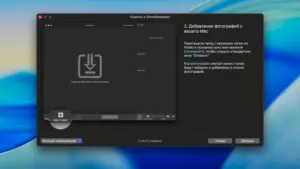
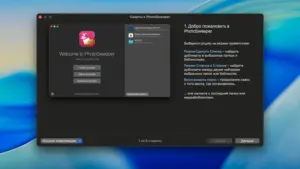
PhotoSweeper 5.5.4 finds duplicate and similar photos PhotoSweeper 5.5.4 for Mac — Duplicate Photo Finder

Pros & Cons Show details

✅ PROS

  • Detects exact duplicates and similar images by content, not filename alone.
  • Deep integration with Apple Photos, Lightroom Classic, and Capture One with safe, reversible removal paths.
  • AI Quality Score and flexible Auto Mark rules speed culling of bursts and edit variants.
  • Native Apple silicon performance handles libraries with hundreds of thousands of images.
  • Supports RAW, HEIC, folders, external drives, and many video formats in one tool.
  • Version 5.5 adds XMP sidecars, stronger DNG/Lightroom import, and smarter library filters.

❌ CONS

  • No public changelog specifically for 5.5.4—only the broader 5.5 line is documented officially.
  • Paid app; free alternatives exist for basic duplicate finding on folders only.
  • Large library scans can take time and RAM on older Macs despite optimization.
  • Does not replace full DAM or editing workflows—focused on deduplication and cleanup.
  • Some removal modes differ per library (Rejected in Lightroom vs Trash on disk)—users must learn each path.
  • macOS 10.15+ required; behavior on the newest macOS builds follows vendor updates in the 5.5.x series.
✅ What's New in 5.5.4 Show details
  1. [Changelog scope] — No dedicated 5.5.4 notes on overmacs.com; App Store What’s New currently matches the 5.5.3 listing.
  2. [XMP sidecar files] — Version 5.5 can read metadata from XMP sidecar files alongside master images.
  3. [Adobe DNG] — Improved reading and handling of Adobe DNG images in the 5.5 release.
  4. [Lightroom previews] — Improved handling of Adobe Lightroom previews during import and comparison.
  5. [Import filters] — New options to ignore hidden photos in Apple Photos and rejected items in Adobe Lightroom on import.
  6. [Maintenance] — The 5.5 announcement also cites bug fixes and performance improvements from user feedback.

Older Versions

Version Publication date
PhotoSweeper v5.5.4 Latest Current
PhotoSweeper X v5.5.3
PhotoSweeper X v5.5.0
PhotoSweeper X v5.4.1
PhotoSweeper X v5.4.0
PhotoSweeper X v5.3.1
PhotoSweeper X v5.3.0
PhotoSweeper X v5.2.0
PhotoSweeper X v5.1.2
PhotoSweeper X v5.1.1
PhotoSweeper X v5.1.0
PhotoSweeper X v5.0.4
PhotoSweeper X v5.0.3
PhotoSweeper X v5.0.2
PhotoSweeper X v5.0.1
PhotoSweeper X v5.0.0
PhotoSweeper X v4.9.5
PhotoSweeper X v4.9.4
PhotoSweeper X v4.9.3
PhotoSweeper X v4.9.2
PhotoSweeper X v4.9.0
PhotoSweeper X v4.8.5
PhotoSweeper X v4.8.4
PhotoSweeper X v4.8.3
PhotoSweeper X v4.8.1
PhotoSweeper X v4.8.0
PhotoSweeper X v4.7.0
PhotoSweeper X v4.6.0
PhotoSweeper X v4.5.0
PhotoSweeper X v4.3.0
PhotoSweeper X v4.2.0
PhotoSweeper X v4.1.0
PhotoSweeper X v4.0.1
PhotoSweeper X v4.0.0
PhotoSweeper X v3.9.3
PhotoSweeper X v3.9.2
PhotoSweeper X v3.9.1
PhotoSweeper X v3.9.0
PhotoSweeper X v3.8.2
PhotoSweeper X v3.8.1
PhotoSweeper X v3.8.0
PhotoSweeper X v3.7.0
PhotoSweeper X v3.6.1
PhotoSweeper X v3.6.0

Installation & Troubleshooting FAQ

8 questions

Common issues when installing macOS apps

Alternatives

Join the Conversation

Your email address will not be published. Required fields are marked *