Yate
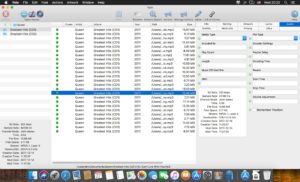
A native macOS tag editor for collectors and librarians who want fine-grained control over audio and video metadata—not a simplified “fill in the blanks” tool, but a power app built around batch edits and automation.
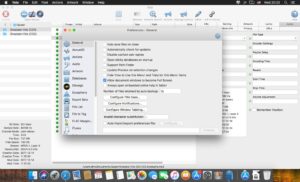
Yate from 2ManyRobots uses its own tagging library and supports a wide format list: MP3, M4A (AAC/ALAC), M4B, FLAC, AIFF, DSF/DFF, APE, WAV, Ogg Vorbis and Opus, WavPack, MP4 audio and video, M4V, and more. You can edit tags manually, run semi-automated lookups, or drive entire album workflows through Actions—Yate’s scripting system that can retag, rename, move, and query files in one pass. Integrations include MusicBrainz, Discogs, AcousticID, AcousticBrainz, Beatport, last.fm, Apple Music/iTunes/TV libraries, and TMDb for video. Changes are undo-friendly: you can revert batches or step back individual edits in order.
Typical Mac workflow
A common pattern is ingest a download folder, run an Action that fetches MusicBrainz or Discogs metadata, normalizes track numbers and album artist fields, embeds or links artwork, and renames files to a consistent template. Power users maintain libraries of Actions for different genres or sources, use database files for large collections, and sync with Roon-oriented MPEG-4 encoding when needed. The Container Viewer and debugger help inspect what an Action will do before you commit. For video, TMDb lookup and standard MP4/M4V tagging sit beside the audio toolset in one app.
Yate requires macOS 10.13 or later on the current universal build (Intel and Apple silicon). A separate legacy build remains on the 9.2.x line for macOS 10.10–10.12 but will not move past 9.2.x; the vendor recommends macOS 10.13+ for security. Licensing is a one-time $20 USD purchase with two concurrent activations, no expiring license, and free updates. A fully featured 14-day trial is available from the developer site. Yate is Mac-only—there is no Windows version.
Version 9.2.2
Release 9.2.2 is a maintenance update focused on Action authoring and stability. The Get Info action statement can filter File to Tag, Rename, or Search template lists by All, Hidden, or Not Hidden. The Remove/Insert statement accepts a character range as an alternative to start index plus length. Bug fixes address Container Viewer conflicts when the debugger opens a sheet, text selection in the multi-line editor, and exporting a single Settings item whose name contains a slash. Patches in the 9.2.x series remain available for the legacy macOS 10.10–10.12 build as noted in the release notes.