PDF & Document Converter 6.3.1 for Mac

PDF to Word&Document Converter
Name:PDF & Document Converter 6.3.1 MAS [TNT].dmg.torrent (7.04MB)
Hash:6552db5bfccec3f32a6f4c329fcfd30d156a9639
Review by:
Downloads 222
Rating
4.2 36 Click to rate
Checked
   Download Torrent Download Now

What PDF & Document Converter does on Mac

PDF & Document Converter is a lightweight Mac utility for exporting PDF documents into editable or web-friendly formats such as Word, PowerPoint, EPUB, RTF, HTML, XML, plain text, and images.

The app focuses on one-way PDF conversion rather than full PDF editing. You add files individually or in batches, choose an output format, and optionally limit conversion to selected pages per document. Drag-and-drop support keeps the workflow simple when you need to process invoices, reports, ebooks, or scanned PDFs without opening a heavy office suite.

Typical Mac workflow

Drop one or more PDFs into the window, pick Word, PPT, EPUB, TXT, or image output, and set page ranges if you only need chapters or appendix pages. For image extraction, use the dedicated extract-images option when you need graphics embedded in a PDF. Batch mode suits folders of similar documents, such as converting archived PDFs to DOCX for editing in Microsoft Word or Pages.

Version 6.3.1

Build 6.3.1 is listed in recent Mac software catalogs, but the developer did not publish a separate public changelog for this build at the time of writing. The previous 6.3.0 Mac App Store notes cited compatibility work: eliminating warnings and adapting to the latest macOS. Treat 6.3.1 as a minor maintenance release in the 6.3 line unless the store page adds explicit notes after you install.

Licensing and requirements

The app is distributed through the Mac App Store (listing id633344484) with an in-app purchase for the full version. Catalog sources list compatibility from macOS 10.12 or 10.13 onward on Intel 64-bit Macs. Conversion fidelity depends on PDF complexity; scanned or heavily formatted files may need manual cleanup after export.
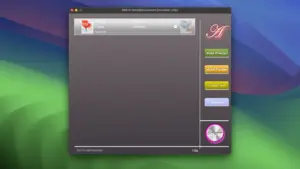
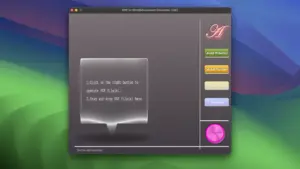
PDF & Document Converter 6.3.1 batch-exports PDFs to Word PDF & Document Converter 6.3.1 for Mac — PDF Export

Pros & Cons Show details

✅ PROS

  • One app covers batch export from PDF to Word, PowerPoint, EPUB, RTF, HTML, XML, text, and image formats instead of using separate online converters.
  • Page-range selection lets you convert only the sections you need, which saves time on long manuals or mixed document packs.
  • Drag-and-drop and batch processing suit quick folder jobs without building complex automation scripts.
  • The utility is small (about 5–7 MB in catalog listings) and focused purely on conversion rather than a large PDF suite.
  • Image extraction is built in for pulling embedded graphics out of PDF files alongside format conversion.

❌ CONS

  • Public release notes for build 6.3.1 were not found; only the older 6.3.0 note about macOS warning fixes is documented.
  • Full functionality requires an in-app purchase; the free download is not unlimited according to store descriptions mirrored on catalog sites.
  • The app converts PDF outward only and does not replace a full PDF editor with OCR, annotation, or signing tools.
  • Complex layouts, tables, and scanned PDFs may not convert as cleanly as dedicated tools such as Adobe Acrobat or ABBYY.
  • The Mac App Store listing id633344484 was not reachable in the US storefront during research, so availability and pricing may vary by region.
✅ What's New in 6.3.1 Show details
  1. [Build note] — Version 6.3.1 is referenced in recent Mac software catalogs, but no itemized public changelog for this build was published when this card was written.
  2. [6.3.0 baseline] — The prior documented update (6.3.0) removed warnings and adapted the app to the latest macOS according to third-party store mirrors.
  3. [Maintenance expectation] — 6.3.1 likely continues compatibility and stability work in the 6.3 line rather than announcing major new export formats.
  4. [Batch conversion unchanged] — Core features remain batch PDF export to Word, PPT, EPUB, TXT, HTML, XML, RTF, and images with selective pages.
  5. [Store distribution] — Updates are expected through the Mac App Store listing tied to app id633344484 when the listing is active in your region.

Older Versions

Version Publication date
PDF & Document Converter v6.3.1 Latest Current
PDF & Document Converter v6.2.9
PDF & Document Converter v6.2.8
PDF & Document Converter v6.2.7
PDF & Document Converter v6.2.6

Installation & Troubleshooting FAQ

8 questions

Common issues when installing macOS apps

Alternatives

Join the Conversation

Your email address will not be published. Required fields are marked *