
Typinator 10.1 for Mac

typinator
Name:Typinator 10.1.dmg.torrent (48.3MB)
Hash:0b27d79eb1362c3457f046238f1e97394e194f05
Review by:
Downloads 216
Rating
4.6 16 Click to rate
Checked
   Download Torrent Download Now

Typinator 10.1 for Mac — Text Expander

Typinator is a macOS text expansion utility from Ergonis that replaces short abbreviations with longer snippets, templates, images, and scripted expansions across virtually any application where you type.

How it works on Mac

After granting Accessibility permissions, Typinator runs in the background and watches keystrokes. Type a trigger such as addr or sig and it expands to a full address block, email signature, or code boilerplate. Sets organize snippets by project or role; Quick Search finds entries by keyword without leaving your current app. Built-in correction sets fix common typos, while input forms and variables handle dates, clipboard content, and AppleScript-driven dynamic text. Typinator 10 added an iOS companion keyboard, Apple Intelligence-assisted snippet authoring, and sync via iCloud or a custom folder you control.

Privacy and licensing

Ergonis stores abbreviations locally on your Mac—nothing uploads to Ergonis servers by default. iOS sync uses iCloud only. Basic is a $49.99 one-time purchase for macOS (two Macs, updates within Typinator 10); Advanced at $29.99/year adds the iOS app, ongoing updates, and email support across three devices. Apple Intelligence helps draft and refine snippets inside the editor; expansions at typing time still run locally and predictably.

Version 10.1

Released 1 June 2026, Typinator 10.1 adds a Statistics & Insights dashboard that shows time saved, total expansions, and corrections, plus a shareable stats card. The update focuses on reliability: better expansion consistency across apps, stronger sync with clearer error reporting, faster performance with large snippet libraries, and improved password-field handling for multiline and whitespace content.
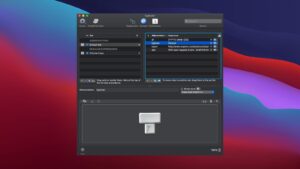
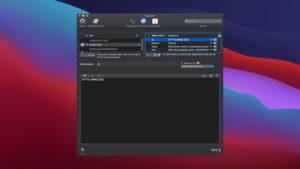
Typinator 10.1 on Mac: text expansion with Typinator 10.1 for Mac — Text Expander

Pros & Cons Show details

✅ PROS

  • Typinator expands text system-wide in any Mac app, which suits email-heavy roles, support teams, developers, and writers who repeat the same phrases hundreds of times a day.
  • Snippet data stays on your Mac by default with optional iCloud or custom-folder sync, which appeals to users who avoid cloud-dependent expanders like TextExpander.
  • Version 10.1 adds visible productivity stats—time saved and expansion counts—so you can quantify ROI instead of guessing whether snippets pay off.
  • Apple Intelligence integration in Typinator 10 speeds up building and refining snippet libraries without sending live keystrokes to AI at expansion time.
  • The 10.1 update directly targets pain points—sync stability, large-set performance, and password-field edge cases—that long-time power users reported in earlier releases.

❌ CONS

  • Typinator requires macOS Accessibility access to monitor typing, which some security-conscious users or managed Mac environments restrict or block.
  • The iOS keyboard companion needs an Advanced or Business subscription ($29.99/year minimum); the $49.99 one-time Basic license covers Mac only with no iOS access.
  • One-time Basic buyers get updates within Typinator 10 only—major version upgrades and email support require moving to a subscription plan.
  • Competing tools like TextExpander or Raycast snippets may integrate better with team sharing or browser-first workflows that Typinator’s local-first model does not prioritize.
  • Text expanders can misfire in password managers or secure input fields; although 10.1 improves password-field handling, edge cases in VMs or apps with secure-input locks may still require per-app exclusions.
✅ What's New in 10.1 Show details
  1. [Statistics & Insights dashboard] — Shows time saved, total expansions, and corrections at a glance so you can track how much Typinator speeds up daily typing.
  2. [Shareable statistics card] — Exports your productivity stats as a social-media-ready card for teams or personal milestone sharing.
  3. [Expansion reliability improvements] — Expansions trigger more consistently across all applications, reducing missed or partial snippet inserts during fast typing.
  4. [Sync stability enhancements] — iCloud and custom-directory sync report errors more clearly and fail less often when libraries grow or networks fluctuate.
  5. [Large-set performance] — Snippet libraries with thousands of abbreviations load and search faster, which matters for power users with extensive correction and template sets.
  6. [Password field handling] — Multiline passwords and whitespace-heavy credentials expand more reliably without breaking secure input contexts.
  7. [Auto-fill correction suggestions] — Creating rules from selected text now pre-fills the correction field with the first suggestion, speeding typo-rule setup.
  8. [In-app issue reporting] — Built-in diagnostics and optional screenshot attachment simplify bug reports to Ergonis support without manual log hunting.
  9. [Duplicate abbreviation shortcut] — Keyboard shortcut duplicates an existing abbreviation rule, useful when cloning similar snippets across sets.
  10. [Spotlight in app settings] — Search within per-application inclusion and exclusion lists instead of scrolling long app rosters manually.

Older Versions

Version Publication date
Typinator v10.1 Latest Current
Typinator v9.2
Typinator v9.1
Typinator v8.11
Typinator v8.10.1
Typinator 8.6 (33167) v8.6.33167
Typinator v8.5
Typinator v8.0.1
Typinator v7.9
Typinator v6.11

Installation & Troubleshooting FAQ

8 questions

Common issues when installing macOS apps

Alternatives

Join the Conversation

Your email address will not be published. Required fields are marked *