

Logic Pro 12.2 fix for Mac
Logic Pro is Apple’s professional digital audio workstation for Mac (and iPad). The Logic Pro 12 generation adds AI-assisted tools—Session Players, Stem Splitter, Chord ID, Mastering Assistant, and ChromaGlow—on top of recording, MIDI editing, beat making, and mixing workflows.
Production workflow
Build songs with Drummer, Step Sequencer, Quick Sampler, Live Loops, and a large sound library. Edit with Flex Time and Flex Pitch, comp takes with Quick Swipe Comping, and mix with a full channel strip plus industry-standard plug-ins. Export Spatial Audio mixes with integrated Dolby Atmos tools; version 12.2 adds consumer-style MP4 exports for client approval.
- Stem Splitter separates drums, bass, vocals, guitar, piano, and more for remixing
- Round-trip projects between Mac and iPad; GarageBand import
- Third-party AU plug-ins supported
- Requires macOS 15.6 or later and a Mac with Apple silicon per Apple specs
Licensing and build 12.2 fix
Buy once for about $199.99 on the Mac App Store, or get Logic Pro via Apple Creator Studio (about $12.99/month after trial). Apple’s public release notes are titled Logic Pro 12.2 (April 2026); catalog build 12.2.2 is the current App Store maintenance line on top of that 12.2 feature set—back up the app and projects before updating.
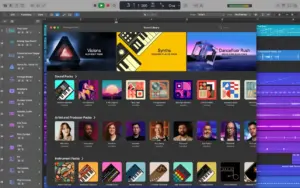
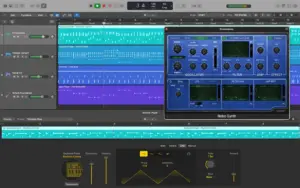
Sirena, thank you
❤️
None of the versions or fixes are working for me. when clicking sound library, the window just loads endlessly with no result.
I have plugins that I need to run in Rosetta Mode. How come when I click the Get Info Tab, the Run in Rosetta Mode box is not available for me to check?
It is 12.0, not 12.2
I can install this version on tahoe?
there isn’t a Logic Pro 12.2.2 This is an old release it’s a revision 2 version of 12.2 that was cracked Wrong.
Good catch — yes, this is the second version 😉
This version solves all the previous issues reported?
Not all my guitar effects are loading, do you know how to fix it?
When playback, I got an issue with the audio being muted / glitched for one or two seconds. Does anyone face the same issue? Will this update fix that?
Run the downloaded image and drag the application to the Applications folder shortcut.
Once the copy is complete, you can launch the application from Launchpad.
Compatibility
macOS 15.6 and later
Architecture
ARM
HEY THERE ! WHEN I SAVE PROJECTS AND REOPEN IT THEN SOME PART GET CORRUPT OR LOST. AND I DONT FIND ALL PLUGINS THAT COME WITH OFFICIAL VERISON . PLEASE REPLY BACK
Hi Pravin, I did test and can’tconfirm your issues, here M1 Tahoe LogicPro runs fine, all plugins available and projects open as expected. I don’t have any external storage. Do you use external storage devices ? You may try without them.