
No, I’m not a Human v1.2.12 for Mac (Wineskin)
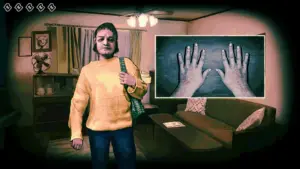
No, I’m not a Human by Trioskaz (published by CRITICAL REFLEX) is a psychological horror simulation: survive the end of the world behind locked doors, interrogate guests at your door, and decide who is human—and who is a Visitor.
Version 1.2.12 is the Windows game build packaged in a Wineskin wrapper for macOS. There is no native Mac App Store release; performance and stability depend on Wine, your Mac hardware, and the wrapper.
About v1.2.12
Build 1.2.12 reflects the current post-launch client on Steam. Official patch notes are published by title update (e.g. Usual Suspects, Patch #2), not by this internal version string. This package is intended to include fixes and content shipped through early 2026.
Major official updates included in the 1.2.x line:
- Usual Suspects (Dec 2025): 12 new characters, 6 new events, new ending, dream sequence, 11 achievements, Steam Trading Cards, localization fixes
- Patch #2 (Dec 2025): softlock fixes, character dialogue/name fixes after the content update
- Mar 2026: Polish, Ukrainian, Italian, Turkish, and Arabic localizations; soundtrack on music platforms; free Digital Artbook on Steam
- Launch-week hotfixes: save stability, progression blockers, audio distortion, tutorial skip, performance tweaks
Key features
- 14-day survival loop: lock down, vet visitors, gather clues, eliminate Visitors
- Branching stories, multiple endings, and Steam achievements (60 total after major updates)
- Paranoia-driven choices: who you let in, what you believe, and how far you go
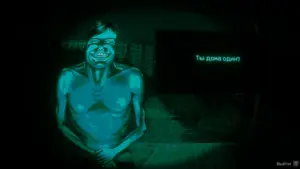
- Atmospheric “night vision” presentation and tense housebound gameplay
- Full controller support on Windows; 17 languages on Steam
Requirements & notes (Wineskin)
- Version: 1.2.12 (Windows build, Wineskin)
- Platform: macOS via Wineskin (Windows app in Wine)
- Source requirements (Windows): Windows 10; Intel Core i5; 2 GB RAM; GTX 960-class GPU
- Mac: Apple Silicon or Intel; 8 GB+ RAM recommended for Wine games; results vary by chip and macOS version
- License: commercial game — purchase on Steam for legitimate updates and online features
Official: Steam · News





having some sort of issue getting it open. gatekeep settings are as requested, the startup k&s message is showing up without the game opening, then the shut down message- though i will admit it’s very likely a me issue
Run the downloaded image and drag the application to the Applications folder shortcut.
After copying is complete, you can launch the application from Launchpad.
If an error occurs when launching the game, run the “Fix” file in the image.
The first time you launch the game, make sure it’s in English, otherwise the game won’t continue after the cutscene.
Tested on
macOS Tahoe, Mac mini 2024 M4
Architecture
ARM