ConceptDraw Office v11.0.0 for Mac
ConceptDraw Office by CS Odessa is a productivity suite that bundles three integrated apps for business visualization: ConceptDraw DIAGRAM, ConceptDraw MINDMAP, and ConceptDraw PROJECT.
Version 11.0.0 is the next-generation release of the suite, with the full Mac product line adapted to macOS 15 Sequoia and a set of feature additions across all three apps.
What’s new in v11.0.0
DIAGRAM 18:
- Support for LaTeX—scalable, consistent business, technical, and scientific diagrams (flowcharts, schematics, infographics)
MINDMAP 16:
- Extended Evernote compatibility
- Integration with Google Drive, Microsoft OneDrive, and Dropbox
PROJECT 15:
- Role-based access to project files
- Additional options for customizing the project calendar
- Improved usability of resource tables
Suite-wide: updated for macOS Sequoia compatibility across DIAGRAM, MINDMAP, and PROJECT.
Key apps in the suite
- ConceptDraw DIAGRAM: vector diagramming for flowcharts, technical drawings, network maps, infographics
- ConceptDraw MINDMAP: mind mapping with presentation, brainstorming, and outline export
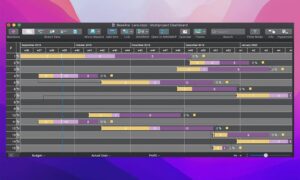
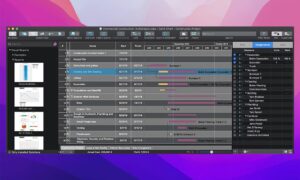
- ConceptDraw PROJECT: task scheduling, Gantt charts, resource management, multi-project view
- Live data exchange between all three apps in the suite
Requirements & licensing
- Version: 11.0.0
- Platform: macOS and Windows (Mac build noted here)
- License: commercial perpetual license; free upgrades for users with active Maintenance Assurance Program coverage
Official: conceptdraw.com · release announcement