

MediaInfo v26.05 [MAS] for Mac
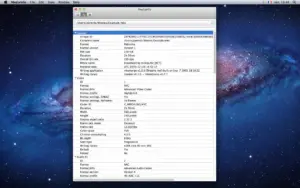
MediaInfo is a trusted utility that reads the technical metadata inside video and audio files—codec, resolution, frame rate, bit rate, channels, subtitles, chapters, and container tags—without opening a full editor.
The [MAS] build is the Mac App Store edition from MediaArea.net; version 26.05 ships the updated MediaInfo library with format support and stability fixes.
What you see in MediaInfo
Container: format, profile, duration, overall bit rate, writing app, title/author/album/track metadata.
Video: codec, aspect ratio, frame rate, color space, chroma subsampling, bit depth, scan type/order.
Audio: codec, sample rate, channels, bit depth, bit rate, language.
Subtitles & chapters: format, language, chapter list where present.
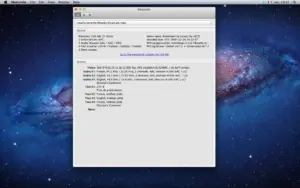
Views & export: text or tree layout; export as text, XML, JSON, EBUCore, and more; drag-and-drop and Finder context-menu integration on Mac.
What’s new in library 26.05 (highlights)
- macOS GUI: light/dark icon variants aligned with current macOS guidelines
- New codecs/formats: initial APV and AV2 support; animated PNG; Motion Photo in JPEG; AV1 Annex B; HEVC/AV1 HLG+
- Matroska: RFC 9559 track flags (SDH, audio description, original, commentary) and tag mapping improvements
- Many parser/tag fixes across MP4, Vorbis, ID3, WM, MPEG-4, and more—see full changelog
MAS pricing & extras
Base app is a small one-time store fee; optional In-App Purchase unlocks more preferences, file comparison, and related Pro-style features (yearly or lifetime options shown in your region).
- Version: 26.05
- Requires: macOS 10.10 or later
- Changelog: mediaarea.net/MediaInfo/ChangeLog




Mount the image and launch Open Gatekeeper Friendly.
Press Enter to bypass Gatekeeper in the Terminal window.
Drag the application to the Applications folder.
The application is ready to use.
Architecture
ARM, x86 (64-bit)